Method of writing boot from with special card Additional Manual Page 2
Additional Manual
6:Data write
.1
Select the write file
80M3#XX.M
-1
Offset
(HEX)?
ODFF6O
(2)
The method of "Cardpro."
C:Y>
cpicopy A:WOm3#XX.ROM
D:
OxDFF6O <return>
WARNING: All existing data in drive partition will be lost!
Proceed with image copy
?
[yes]: y <return>
Erasure complete: 0%
->
100% (This line is not displayed if the card is
SRAM
card
)
Copy complete: 0%
->
100%
3.Usage of special memory card
(1) Insert the memory card to the memory card slot.
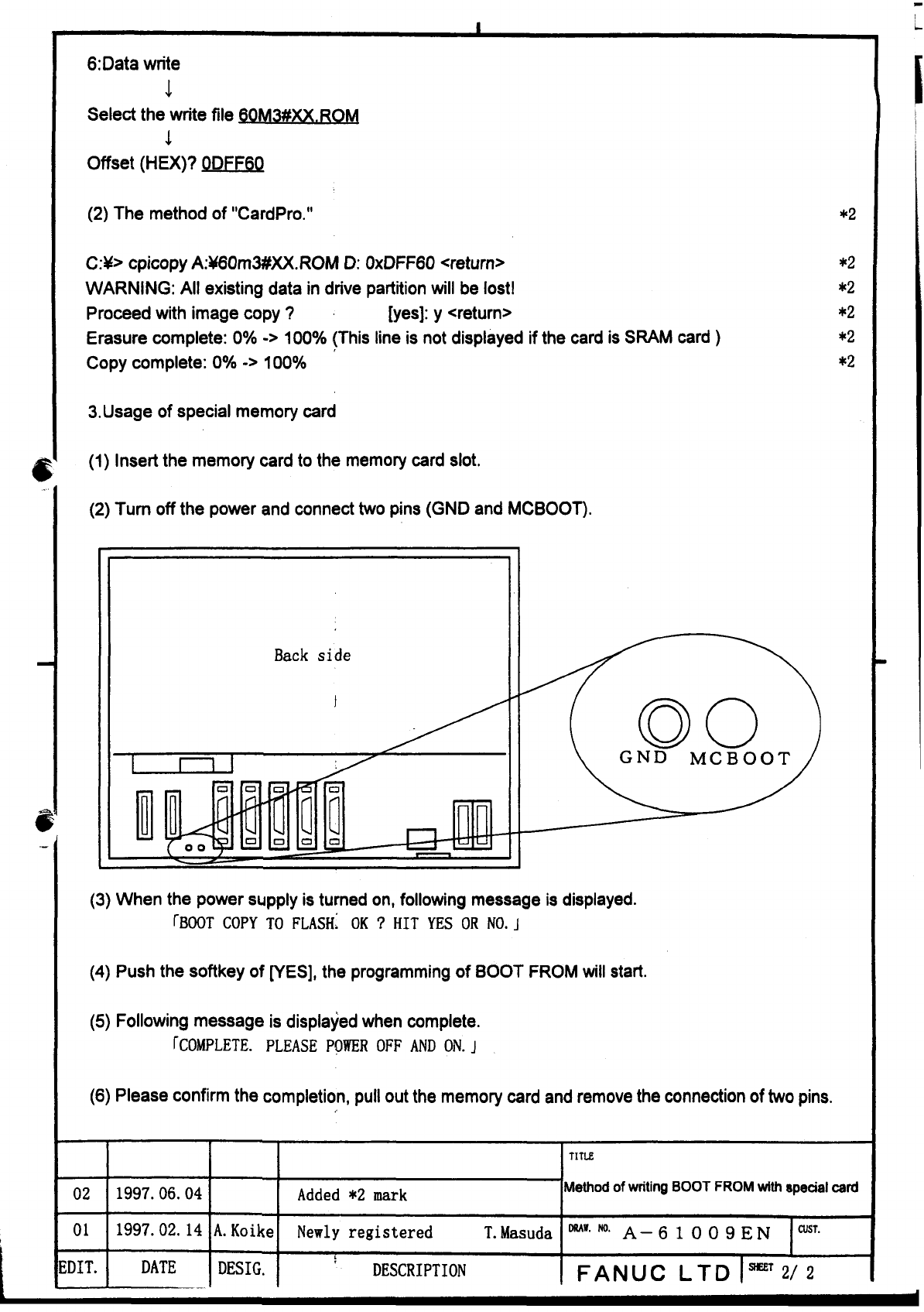
(2)
Turn off the power and connect two pins (GND and MCBOOT).
Back
side
t
(3) When the power supply is turned on, following message is displayed.
rBOOT
COPY TO
FLASH:
OK
?
HIT
YES
OR NO.
j
(4)
Push the softkey of [YES], the programming of BOOT FROM will start.
(5)
Following message is displayed when complete.
TCOMPLETE. PLEASE
POWER
OFF
AND
ON.
J
(6) Please confirm the completion, pull out the memory card and remove the connection of two pins.
02
01
:DIT.
1997.06.04
1997.02.
14
DATE
A.
Koike
DESIG.
Added
*2
mark
Newly registered T.Masuda
L
DESCRIPTION
Method
of
writing
BOOT FROM
with
speaal
card
A-6
1
0
0
9
EN
FANUC
LTD
ImT
21
2
Contents Summary of Method of writing boot from with special card Additional Manual
- Page 1Method of writing BOOT FROM with special card (NOTICE) This function cannot be used with l6Oi/l8Oi/2lOi because of the hardware restriction. &d bntr ~ h wkJc, l*.'p$~ FWC mY~/tn'& 1. Mechanism of operation BOOT SYSTEM is stored in special FROM on CPU card in i Series. When the software of BOOT SYSTE
- Page 26:Data write .1 Select the write file 80M3#XX.M -1 Offset (HEX)? ODFF6O (2) The method of "Cardpro." C:Y> cpicopy A:WOm3#XX.ROM D: OxDFF6O
WARNING: All existing data in drive partition will be lost! Proceed with image copy ? [yes]: y Erasure complete: 0% -> 100% (This line is not d