FANUC Series 30i /31i /32i Correspondence of Rotary Scale without Rotary Data, Specifications Additional Manual Page 12
Additional Manual
Ed.
Apprv
Desig.
12
/
22
Date
Design
Description
Data
FANUC Series 30i /31i /32i
Correspondence of rotary scale
without rotary data
A
-
79825E
Dec.9.2005
page
Title
Draw
No.
1.2.3 In the case of a rotary axis B type whose movable range is over one rotation
As for an axis whose movable range is over one rotation and its rotary scale
which has no rotary data , for example, 30.000 degree and 390.000 degree have
completely same scale data though their position is different from each other by
just one rotation. It is possible to set rotary axis B type because CNC saves the
rotary data by the following parameter even if in this case.
As attention, a machine coordinate value may get out over a rotation, in the
case of moving over 180 degree during turning off, because CNC saves a
machine coordinate value just before CNC turns off and in following turning on
get from the value.
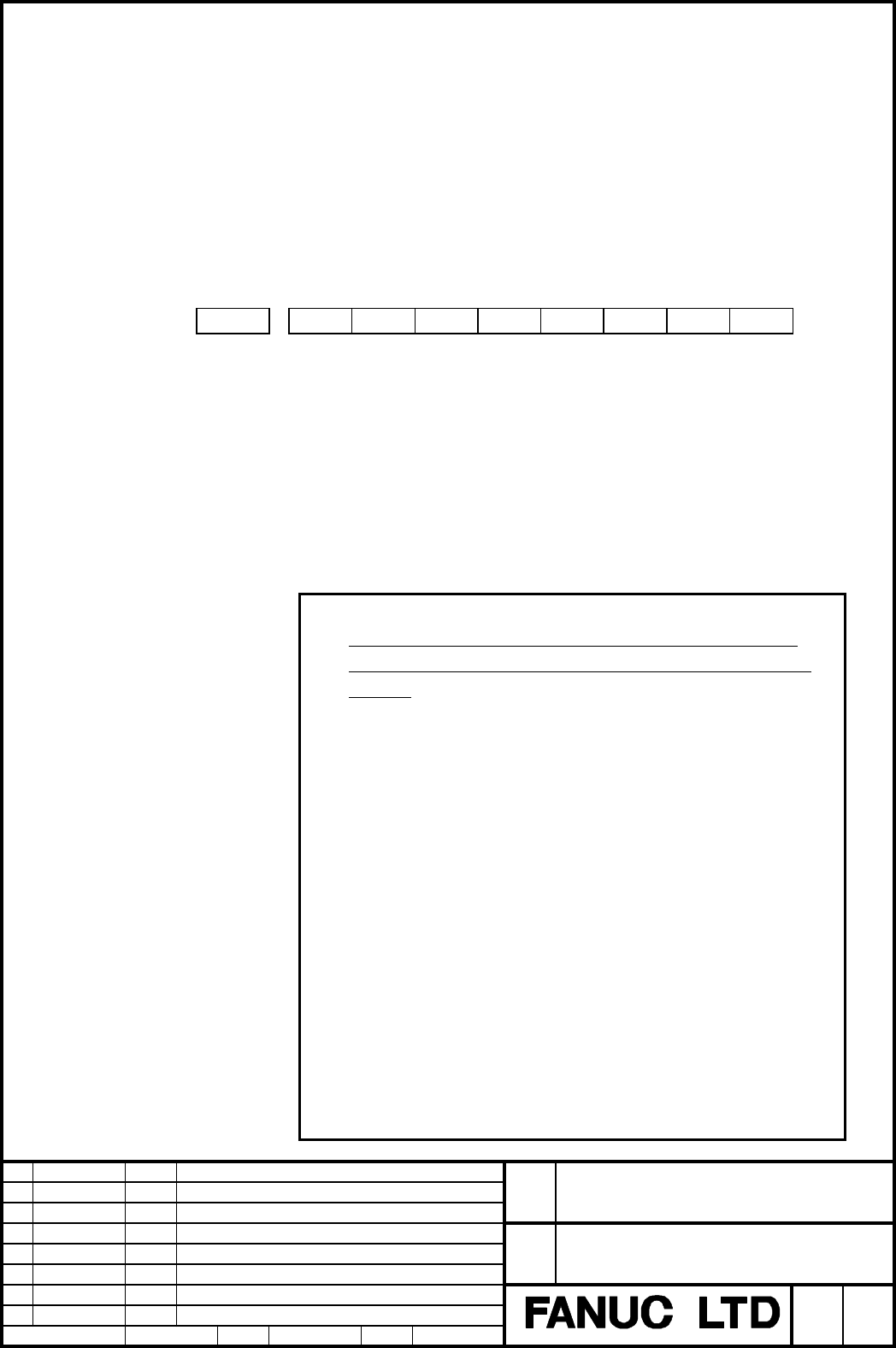
#7 #6 #5 #4 #3 #2 #1 #0
1815
RVSx
[Input type] Parameter input
[Data type] Bit axis
RVSx Specifies to save rotary data by CNC, as for an axis whose movable is over one
rotation and its rotary scale which has no rotary data
0: not to save
1: to save
NOTE
1 In the case of a rotary axis B type whose movable range is
over one rotation, a rotary scale with rotary data had better
be used.
2 It is necessary to turn the CNC off after setting this parameter.
3 This parameter is available for only the rotary axis B type with
an absolute position detector (absolute pulse coder) or a rotary
scale with distance-coded reference marks (serial).
This function cannot be used for distance coded rotary scale
interface (phase A/B).
4 If this parameter is available, the machine coordinate value just
before CNC turns off is saved.
In the case of moving over 180 degree during turning off, a
machine coordinate value may get out over a rotation because
CNC saves a machine coordinate value just before CNC turns off
and in following turning on get from the value.
5 When this parameter is set, machine position and position on
absolute position detector become uncorresponding.
Consequently, the parameter APZ (No. 1815#4: indicating that
the correspondence is established) is set to 0, alarm DS0300. Why
the parameter APZ
(
No. 1815#4
)
is set
to 0 can be checked using
Contents Summary of FANUC Series 30i /31i /32i Correspondence of Rotary Scale without Rotary Data, Specifications Additional Manual
- Page 1FANUC Series 30i /31i /32i Correspondence of rotary scale without rotary data Specifications FANUC Series 30i /31i /32i Title Correspondence of rotary scale without rotary data Draw No. A-79825E Ed. Date Design Description page 1/22 Data Dec.9.2005 Desig. Apprv
- Page 21.1 General This manual described the corrspondence of an absolute position detector (absolute pulse coder) or a rotary scale with distance-coded reference marks (serial), when the rotary scale without rotary data is used, such as Heidenhain rotary scale RCN723 or Futaba rotary scale FRR902L3DB. We
- Page 31.2 Details 1.2.1 Difference of setting method by rotary axis type and movable range rotary axis type movable range required parameters reference rotary axis B type under one rotation No.1817#3 No.1868 chapter 1.2.2 rotary axis B type over one rotation No.1815#0 chapter 1.2.3 rotary axis A type − No
- Page 41.2.2 In the case of a rotary axis B type whose movable range is under one rotation In the case of a rotary axis B type whose movable range is under one rotation with an absolute position detector (absolute pulse coder) or a rotary scale with distance-coded reference marks (serial), there is an unco
- Page 5Example.2 movable range of scale data rotary axis 359999 320000 275000 correct machine position 5000 0 -180° -45° 0° 40° 45° 180° -45.000° 39.999° -315.000° -320.000° machine position of NC Img.2: The case that the scale data is uncontinuous in movable range of rotary axis. In the case of Img.2, the
- Page 6In the case of Img.2, if the parameter No.1817#3 is set to 1 and No.1868 (threshold position) is set to 290.0, the scale data of the threshold position or more is converted to the data which is subtracted by the amount of one rotation (360000 in this case), as shown in Img.3. Therefore, the scale da
- Page 7An uncontinuous point of scale data Before using this function, it is necessary to know the position of the uncontinuous point. By the following process, the position of the uncontinuous point can be found in the case of an absolute position detector (absolute pulse coder). 1. Perform a reference po
- Page 8In the case of the Img.2: 1. A reference position return finishing. 2. Moving to one side of movable range (the machine coordinate value -45.000). 3. Turnning the CNC off and on. 4. Moving to the other side of movable range (the machine coordinate value is 45.000) because the machine coordinate valu
- Page 9#7 #6 #5 #4 #3 #2 #1 #0 1817 SCRx [Input type] Parameter input [Data type] Bit axis SCRx Specifies whether to convert scale data by using threshold position (parameter No.1868) so that rotary axis B type is available, in the case of the axis B type that use a rotary scale without data (the number of
- Page 101868 threshold position for converting scale data (each axis) [Input type] Parameter input [Data type] Real axis [Unit of data] degree (machine unit) [Minimum unit of data] Depend on the increment system of the applied axis [Valid data range] 0 or positive 9 digit of minimum unit of data (refer to t
- Page 111869 the amount of one rotation of rotary axis B type (each axis) [Input type] Parameter input [Data type] Real axis [Unit of data] degree (machine unit) [Minimum unit of data] Depend on the increment system of the applied axis [Valid data range] 0 or positive 9 digit of minimum unit of data (refer
- Page 121.2.3 In the case of a rotary axis B type whose movable range is over one rotation As for an axis whose movable range is over one rotation and its rotary scale which has no rotary data , for example, 30.000 degree and 390.000 degree have completely same scale data though their position is different
- Page 13diagnostic data No. 310. 6 Absolute coordinate value is set by machine coordinate value. However, after CNC turns on, the workpiece offset such as G92 and G52 executed before CNC turns off is not set. 7 This function cannot be used together with the parameter SCRx (No.1817#3) that convert scale data
- Page 141869 the amount of one rotation of rotary axis B type (each axis) [Input type] Parameter input [Data type] Real axis [Unit of data] degree (machine unit) [Minimum unit of data] Depend on the increment system of the applied axis [Valid data range] 0 or positive 9 digit of minimum unit of data (refer
- Page 151.2.4 In the case of a rotary axis A type In the case of a rotary axis A type with an absolute position detector (absolute pulse coder), when machine position passes 0 degree or the shift value per one rotation (360 degree or the parameter No.1260), the data for the reference position (the parameter
- Page 161.2.5 Method of using Heidenhain rotary scale RCN223, 723 and 220 Heidenhain rotary scale RCN223, 723 and 220 are the detectors which save absolute position only within one rotation. ・ In the case of RCN223, 723 and 220, there is the case that wrong positional data (rotary data) is read on absolute
- Page 172394 data mask figure number (each axis) [Input type] Parameter input [Data type] [Setting value] 5 or 8 Setting value is according to detector's type. Now a detector on which rotary data must be cleared is RCN223, 723 (set to 8) and RCN220 (set to 5). Set this parameter with the parameter RCNCLR (N
- Page 18【Reference counter capacity】 No.1821 Set amount of feed back pulsees (detection unit) per a table rotation. NOTE) Set amount of (pulses per one table rotation / 8) as reference counter capacity in the case of No.2275#0=0. But in this case eight grids are made every one table rotation. (Example of pa
- Page 191.2.6 Parameter #7 #6 #5 #4 #3 #2 #1 #0 1815 RVSx [Input type] Parameter input [Data type] Bit axis RVSx Specifies to save rotary data by CNC, as for an axis whose movable is over one rotation and its rotary scale which has no rotary data 0: not to save 1: to save NOTE 1 In the case of a rotary axis
- Page 20#7 #6 #5 #4 #3 #2 #1 #0 1817 SCRx [Input type] Parameter input [Data type] Bit axis SCRx Specifies whether to convert scale data by using threshold position (parameter No.1868) so that rotary axis B type is available, in the case of the axis B type that use a rotary scale without data (the number of
- Page 211868 threshold position for converting scale data (each axis) [Input type] Parameter input [Data type] Real axis [Unit of data] degree (machine unit) [Minimum unit of data] Depend on the increment system of the applied axis [Valid data range] 0 or positive 9 digit of minimum unit of data (refer to t
- Page 221869 the amount of one rotation of rotary axis B type (each axis) [Input type] Parameter input [Data type] Real axis [Unit of data] degree (machine unit) [Minimum unit of data] Depend on the increment system of the applied axis [Valid data range] 0 or positive 9 digit of minimum unit of data (refer