Series 0i/0i Mate - Model B Parameter manual Page 132
Parameter manual
4. DESCRIPTION OF PARAMETERS
B–63840EN/03
124
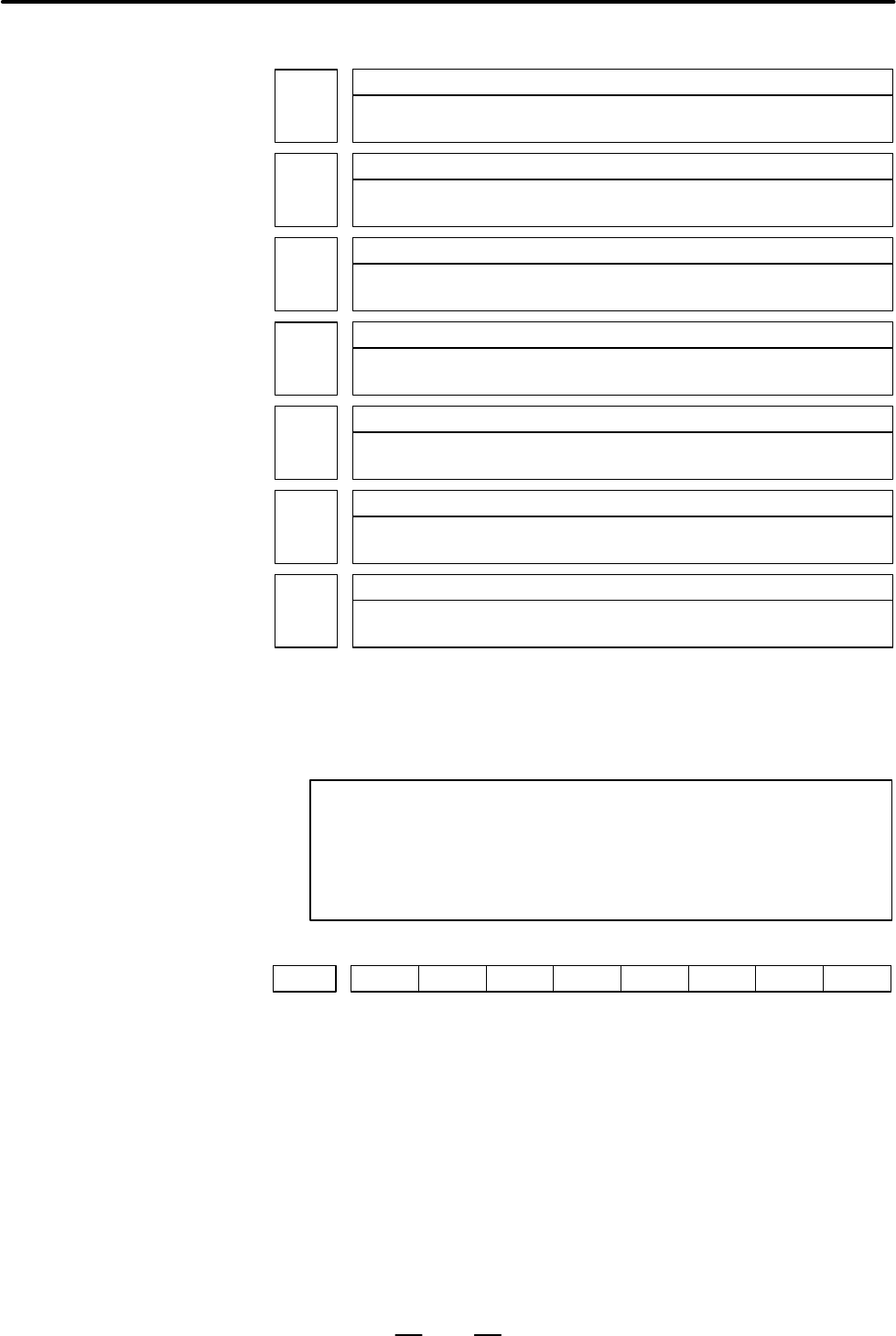
3241
Character blinking in the AI advanced preview control/AI contour control mode
(first character)
3242
Character blinking in the AI advanced preview control/AI contour control mode
(second character)
3243
Character blinking in the AI advanced preview control/AI contour control mode
(third character)
3244
Character blinking in the AI advanced preview control/AI contour control mode
(fourth character)
3245
Character blinking in the AI advanced preview control/AI contour control mode
(fifth character)
3246
Character blinking in the AI advanced preview control/AI contour control mode
(sixth character)
3247
Character blinking in the AI advanced preview control/AI contour control mode
(seventh character)
[Data type] Byte
[Valid data range] –128 to 127
Set the character codes of characters blinking in the AI advanced preview
control/AI contour mode.
NOTE
1 Set character codes according to the character code list in
Appendix A.
2 When 0 is set, AICC blinks if the AI contour control option is
provided, and AI APC blinks if this option is not provided.
#7
KEY3290
#6
MCM
#5 #4
IWZ
#3
WZO
#2
MCV
#1
GOF
#0
WOF
[Data type] Bit
WOF Setting the tool offset value by MDI key input is:
0 : Not disabled
1 : Disabled (With parameter No.3294 and No.3295, set the offset
number range in which updating the setting is to be disabled.)
GOF Setting the tool offset value by MDI key input is:
0 : Not disabled
1 : Disabled (With parameter No.3294 and No.3295, set the offset
number range in which updating the setting is to be disabled.)
MCV Macro variable setting by MDI key input is:
0 : Not disabled
1 : Disabled
Contents Summary of Series 0i/0i Mate - Model B Parameter manual
- Page 1FANUC Series 0 -MODEL B FANUC Series 0 Mate-MODEL B PARAMETER MANUAL B-63840EN/03
- Page 2Ȧ No part of this manual may be reproduced in any form. Ȧ All specifications and designs are subject to change without notice. In this manual we have tried as much as possible to describe all the various matters. However, we cannot describe all the matters which must not be done, or which cannot be
- Page 3B–63840EN/03 PREFACE PREFACE The mode covered by this manual, and their abbreviations are : Product Name Abbreviations FANUC Series 0i–TB 0i–TB Series 0i–B 0i FANUC Series 0i–MB 0i–MB FANUC Series 0i Mate–TB 0i Mate–TB Series 0i Mate–B 0i Mate FANUC Series 0i Mate–MB 0i Mate–MB NOTE Some functions d
- Page 4PREFACE B–63840EN/03 Related manuals of The following table lists the manuals related to Series 0i–B and 0i Series 0i–B/0i Mate–B Mate–B. This manual is indicated by an asterisk(*). Specification Manual name number DESCRIPTIONS B–63832EN CONNECTION MANUAL (HARDWARE) B–63833EN CONNECTION MANUAL (FUNC
- Page 5B–63840EN/03 PREFACE Related manuals of The following table lists the manuals related to Servo Motor αi series. Servo Motor αi series Specification Manual name number FANUC AC SERVO MOTOR αi series DESCRIPTIONS B–65262EN FANUC AC SERVO MOTOR αi series B–65270EN PARAMETER MANUAL FANUC AC SPINDLE MOTO
- Page 6
- Page 7B–63840EN/03 Table of Contents PREFACE . . . . . . . . . . . . . . . . . . . . . . . . . . . . . . . . . . . . . . . . . . . . . . . . . . . . . . . . . . . . . . . . 1 1. DISPLAYING PARAMETERS . . . . . . . . . . . . . . . . . . . . . . . . . . . . . . . . . . . . . . . . . . . . 1 2. SETTING PARAM
- Page 8Table of Contents B–63840EN/03 4.27 PARAMETERS OF INDEXING INDEX TABLE . . . . . . . . . . . . . . . . . . . . . . . . . . . . . . . . . . . . . . . 236 4.28 PARAMETERS OF CUSTOM MACROS . . . . . . . . . . . . . . . . . . . . . . . . . . . . . . . . . . . . . . . . . . . . . 238 4.29 PARAMETERS OF S
- Page 9B–63840EN/03 1. DISPLAYING PARAMETERS 1 DISPLAYING PARAMETERS Follow the procedure below to display parameters. (1) Press the SYSTEM function key on the MDI as many times as required, or alternatively, press the SYSTEM function key once, then the PARAM section display soft key. The parameter screen
- Page 102. SETTING PARAMETERS FROM MDI B–63840EN/03 2 SETTING PARAMETERS FROM MDI Follow the procedure below to set parameters. (1) Place the NC in the MDI mode or the emergency stop state. (2) Follow the substeps below to enable writing of parameters. 1. To display the setting screen, press the SETTING fun
- Page 11B–63840EN/03 2. SETTING PARAMETERS FROM MDI [Example] 12000 [INPUT] PARAMETER (FEEDRATE) O0001 N00010 1401 RDR JZR RPD Cursor 0 0 0 0 0 0 0 0 1402 JRV 0 0 0 0 0 0 0 0 1410 DRY RUN FEEDRATE 12000 1412 0 1420 RAPID FEEDRATEX 15000 Y 15000 Z 15000 > MDI STOP *** *** ALM 10:03:10 [NO.SRH] [ ON:1 ] [ OFF
- Page 123. INPUTTING AND OUTPUTTING PARAMETERS THROUGH THE READER/PUNCHER INTERFACE B–63840EN/03 INPUTTING AND OUTPUTTING PARAMETERS THROUGH THE 3 READER/PUNCHER INTERFACE This section explains the parameter input/output procedures for input/output devices connected to the reader/puncher interface. The foll
- Page 133. INPUTTING AND OUTPUTTING PARAMETERS THROUGH B–63840EN/03 THE READER/PUNCHER INTERFACE 3.1 (1) Select the EDIT mode or set to Emergency stop. OUTPUTTING PARAMETERS (2) To select the parameter screen, press the SYSTEM function key as many THROUGH THE times as required, or alternatively press the SY
- Page 143. INPUTTING AND OUTPUTTING PARAMETERS THROUGH THE READER/PUNCHER INTERFACE B–63840EN/03 3.2 (1) Place the NC in the emergency stop state. INPUTTING (2) Enable parameter writing. PARAMETERS THROUGH THE 1. To display the setting screen, press the OFFSET SETTING function key as READER/PUNCHER many tim
- Page 15B–63840EN/03 4. DESCRIPTION OF PARAMETERS 4 DESCRIPTION OF PARAMETERS Parameters are classified by data type as follows: Table 4 Data Types and Valid Data Ranges of Parameters Data type Valid data range Remarks Bit 0 or 1 Bit axis Byte –128 to 127 In some parameters, signs are Byte axis 0 to 255 ign
- Page 164. DESCRIPTION OF PARAMETERS B–63840EN/03 NOTE 1 The bits left blank in 4. DESCRIPTION OF PARAMETERS and parameter numbers that appear on the display but are not found in the parameter list are reserved for future expansion. They must always be 0. 2 Parameters having different meanings between the T
- Page 17B–63840EN/03 4. DESCRIPTION OF PARAMETERS 4.1 #7 #6 #5 #4 #3 #2 #1 #0 PARAMETERS OF 0000 SEQ INI ISO TVC SETTING The following parameter can be set at “Setting screen”. [Data type] Bit TVC TV check 0 : Not performed 1 : Performed ISO Code used for data output 0 : EIA code 1 : ISO code INI Unit of in
- Page 184. DESCRIPTION OF PARAMETERS B–63840EN/03 #7 #6 #5 #4 #3 #2 #1 #0 RDG 0002 SJZ RDG The following parameters can be set at “Setting screen”. [Data type] Bit RDG Remote diagnosis is 0: Not performed. 1: Performed. To use an RS–232C serial port for performing remote diagnosis, connect and setup the mod
- Page 19B–63840EN/03 4. DESCRIPTION OF PARAMETERS I/O CHANNEL: Selection of an input/output device or selection of input device in 0020 the foreground This parameter can be set at “Setting screen”. [Data type] Byte [Valid data range] 0 to 35 I/O CHANNEL: Selection of the input/output device to be used The C
- Page 204. DESCRIPTION OF PARAMETERS B–63840EN/03 NOTE 1 An input/output device can also be selected using the setting screen. Usually, the setting screen is used. 2 The specifications (such as the baud rate and the number of stop bits) of the input/output devices to be connected must be set in the correspo
- Page 21B–63840EN/03 4. DESCRIPTION OF PARAMETERS 4.2 This CNC has two channels CRS–232–C serial port1 and RS–232–C serial port2 of input/output device interfaces. The input/output device to PARAMETERS OF be used is specified by setting the channel connected to that device in READER/PUNCHER setting paramete
- Page 224. DESCRIPTION OF PARAMETERS B–63840EN/03 4.2.1 Parameters Common to all Channels 0024 Port for communication with the PMC ladder development tool (FAPT LADDER–II/III) This parameter can be set at “Setting screen”. [Data type] Byte This parameter sets the port to be used for communication with the P
- Page 23B–63840EN/03 4. DESCRIPTION OF PARAMETERS ENS Action taken when a NULL code is found during read of EIA code 0 : An alarm is generated. 1 : The NULL code is ignored. #7 #6 #5 #4 #3 #2 #1 #0 0110 IO4 [Data type] Bit IO4 Separate control of I/O channel numbers is: 0: Not performed. 1: Performed. If th
- Page 244. DESCRIPTION OF PARAMETERS B–63840EN/03 Table 4.2.2 (a) Set value and Input/Output Device Set value Input/output device 0 RS–232–C (Used control codes DC1 to DC4) 1 FANUC CASSETTE ADAPTOR 1 (FANUC CASSETTE B1/ B2) 2 FANUC CASSETTE ADAPTOR 3 (FANUC CASSETTE F1) 3 FANUC PROGRAM FILE Mate, FANUC FA C
- Page 25B–63840EN/03 4. DESCRIPTION OF PARAMETERS 4.2.4 Parameters of #7 #6 #5 #4 #3 #2 #1 #0 Channel 2 0121 NFD ASI SB2 (I/O CHANNEL=2) [Data type] Bit These parameters are used when I/O CHANNEL is set to 2. The meanings of the bits are the same as for parameter 0101. 0122 Number specified for the input/ou
- Page 264. DESCRIPTION OF PARAMETERS B–63840EN/03 #7 #6 #5 #4 #3 #2 #1 #0 0135 RMS PRA ETX ASC NOTE When this parameter is set, the power must be turned off before operation is continued. [Data type] Bit ASC Communication code except NC data 0: ISO code 1: ASCII code ETX End code for protocol A or extended
- Page 27B–63840EN/03 4. DESCRIPTION OF PARAMETERS 4.3 #7 #6 #5 #4 #3 #2 #1 #0 PARAMETERS OF 0140 ECD NCE BCC DNC2 INTERFACE NOTE When this parameter is set, the power must be turned off before operation is continued. [Data type] Bit BCC The BCC value (block check characters) for the DNC2 interface is: 0: Ch
- Page 284. DESCRIPTION OF PARAMETERS B–63840EN/03 0145 Time required for switching RECV and SEND (DNC2 interface) NOTE When this parameter is set, the power must be turned off before operation is continued. [Data type] Byte [Unit of data] S [Valid data range] 1 to 60 (The standard setting is 1.) 0146 Number
- Page 29B–63840EN/03 4. DESCRIPTION OF PARAMETERS 0149 Number of characters in the data section of the communication packet (DNC2 interface) NOTE When this parameter is set, the power must be turned off before operation is continued. [Data type] Word [Valid range] 80 to 256 (The standard setting is 256.) Th
- Page 304. DESCRIPTION OF PARAMETERS B–63840EN/03 4.4 PARAMETERS OF #7 #6 #5 #4 #3 #2 #1 #0 REMOTE 0002 RDG DIAGNOSIS [Data type] Bit RDG Remote diagnosis is: 0: Not performed. 1: Performed. If an RS–232C serial port is used to carry out remote diagnosis, connect and set up the modem, cable, and the like, t
- Page 31B–63840EN/03 4. DESCRIPTION OF PARAMETERS 0204 Remote diagnosis channel [Data type] Byte [Valid data range] 0, 1, 2 The interface to be used for remote diagnosis is: 0, 1: RS–232C serial port 1 (channel 1). 2 : RS–232C serial port 2 (channel 2). 0211 Password 1 for remote diagnosis 0212 Password 2 f
- Page 324. DESCRIPTION OF PARAMETERS B–63840EN/03 0221 Keyword 1 for remote diagnosis 0222 Keyword 2 for remote diagnosis 0223 Keyword 3 for remote diagnosis [Data type] 2–word [Valid range] 1 to 99999999 Set a keyword corresponding to a password of the remote diagnosis function. Keyword 1: Keyword for pass
- Page 33B–63840EN/03 4. DESCRIPTION OF PARAMETERS 4.5 PARAMETERS OF #7 #6 #5 #4 #3 #2 #1 #0 DATA SERVER 0900 ONS DSV [Data type] Bit DSV The data server function is 0: Enabled 1: Disabled ONS When the O number of the data server file name and the O number in an NC program do not match: 0: The O number of th
- Page 344. DESCRIPTION OF PARAMETERS B–63840EN/03 0921 OS selected for host computer 1 of data server 0922 OS selected for host computer 2 of data server 0923 OS selected for host computer 3 of data server [Data type] Word [Valid data range] 0 to 1 1 : UNIX or VMS is selected. 0 : Windows95/98/NT is selecte
- Page 35B–63840EN/03 4. DESCRIPTION OF PARAMETERS 4.6 PARAMETERS OF ETHERNET 0931 Special character code corresponding to soft key [CHAR–1] 0932 Special character code corresponding to soft key [CHAR–2] 0933 Special character code corresponding to soft key [CHAR–3] 0934 Special character code corresponding
- Page 364. DESCRIPTION OF PARAMETERS B–63840EN/03 4.7 PARAMETERS OF POWER MATE CNC #7 #6 #5 #4 #3 #2 #1 #0 MANAGER 0960 PMN MD2 MD1 SLV [Data type] Bit SLV When the power mate CNC manager is selected, the screen displays: 0 : One slave. 1 : Up to four slaves with the screen divided into four. MD1,MD2 These
- Page 37B–63840EN/03 4. DESCRIPTION OF PARAMETERS 4.8 PARAMETERS OF AXIS CONTROL/ INCREMENT SYSTEM #7 #6 #5 #4 #3 #2 #1 #0 1001 INM NOTE When this parameter is set, the power must be turned off before operation is continued. [Data type] Bit INM Least command increment on the linear axis 0 : In mm (metric sy
- Page 384. DESCRIPTION OF PARAMETERS B–63840EN/03 XIK When LRP, bit 1 of parameter No.1401, is set to 0, namely, when positioning is performed using non–linear type positioning, if an interlock is applied to the machine along one of axes in positioning, 0: The machine stops moving along the axis for which t
- Page 39B–63840EN/03 4. DESCRIPTION OF PARAMETERS #7 #6 #5 #4 #3 #2 #1 #0 EDMx EDPx DLZx ZRNx 1005 EDMx EDPx HJZx DLZx ZRNx [Data type] Bit axis ZRNx When a command specifying the movement except for G28 is issued in automatic operation (MEM, RMT, or MDI) and when a return to the reference position has not
- Page 404. DESCRIPTION OF PARAMETERS B–63840EN/03 EDMx External deceleration signal in the negative direction for each axis 0 : Valid only for rapid traverse 1 : Valid for rapid traverse and cutting feed #7 #6 #5 #4 #3 #2 #1 #0 ZMIx DIAx ROSx ROTx 1006 ZMIx ROSx ROTx NOTE When this parameter is set, the pow
- Page 41B–63840EN/03 4. DESCRIPTION OF PARAMETERS #7 #6 #5 #4 #3 #2 #1 #0 1008 RRLx RABx ROAx NOTE When this parameter is set, the power must be turned off before operation is continued. [Data type] Bit axis ROAx The roll–over function of a rotation axis is 0 : Invalid 1 : Valid NOTE ROAx specifies the func
- Page 424. DESCRIPTION OF PARAMETERS B–63840EN/03 #7 #6 #5 #4 #3 #2 #1 #0 1012 IDGx [Data type] Bit axis IDGx The function for setting the reference position again, without dogs, is: 0 : Not inhibited. 1 : Inhibited. NOTE 1 IDGx is enabled when the IDG parameter (bit 7 of parameter No.1002) is 1. 2 When the
- Page 43B–63840EN/03 4. DESCRIPTION OF PARAMETERS 1020 Program axis name for each axis [Data type] Byte axis Set the program axis name for each controlled axis, using one of the values listed in the following table: Axis Setting Axis Setting Axis Setting Axis Setting name name name name X 88 U 85 A 65 E 69
- Page 444. DESCRIPTION OF PARAMETERS B–63840EN/03 G17: Plane Xp–Yp G18: Plane Zp–Xp G19: Plane Yp–Zp Only one axis can be set for each of the three basic axes X, Y, and Z, but two or more parallel axes can be set. Set value Meaning 0 Neither the basic three axes nor a parallel axis 1 X axis of the basic thr
- Page 45B–63840EN/03 4. DESCRIPTION OF PARAMETERS 4.9 #7 #6 #5 #4 #3 #2 #1 #0 PARAMETERS OF WZR AWK ZCL 1201 COORDINATES AWK ZCL [Data type] Bit ZCL Local coordinate system when the manual reference position return is performed 0 : The local coordinate system is not canceled. 1 : The local coordinate system
- Page 464. DESCRIPTION OF PARAMETERS B–63840EN/03 G52 In local coordinate system setting (G52), a cutter compensation vector is: 0 : Not considered. 1 : Considered. NOTE Select a local coordinate system setting operation when cutter compensation is applied, and when two or more blocks specifying no movement
- Page 47B–63840EN/03 4. DESCRIPTION OF PARAMETERS 1221 Workpiece zero point offset value in workpiece coordinate system 1 (G54) 1222 Workpiece zero point offset value in workpiece coordinate system 2(G55) 1223 Workpiece zero point offset value in workpiece coordinate system 3(G56) 1224 Workpiece zero point
- Page 484. DESCRIPTION OF PARAMETERS B–63840EN/03 Coordinate value of the second reference position on each axis in the machine 1241 coordinate system Coordinate value of the third reference position on each axis in the machine coor- 1242 dinate system Coordinate value of the fourth reference position on ea
- Page 49B–63840EN/03 4. DESCRIPTION OF PARAMETERS First address of the signal group used by the external machine zero point shift 1280 extension [Data type] Word [Valid data range] 0 to 65535 Set the first address of the signal group used by the external machine zero point shift extension. If 100 is specifi
- Page 504. DESCRIPTION OF PARAMETERS B–63840EN/03 4.10 #7 #6 #5 #4 #3 #2 #1 #0 PARAMETERS OF BFA LZR RL3 LMS OUT 1300 STROKE CHECK BFA LZR LMS OUT [Data type] Bit OUT The area inside or outside of the stored stroke check 2 is set as an inhibition area (setting by the parameters No.1322 and No.1323). 0: Insi
- Page 51B–63840EN/03 4. DESCRIPTION OF PARAMETERS OF1 If the tool is moved into the range allowed on the axis after an alarm is raised by stored stroke check 1, 0: The alarm is not canceled before a reset is made. 1: The OT alarm is immediately canceled. CAUTION In the cases below, the automatic release fun
- Page 524. DESCRIPTION OF PARAMETERS B–63840EN/03 NOTE 1 For axes with diameter specification, a diameter value must be set. 2 When the parameters are set as follows, the stroke becomes infinite: parameter 1320 < parameter 1321 For movement along the axis for which infinite stroke is set, only increment com
- Page 53B–63840EN/03 4. DESCRIPTION OF PARAMETERS Coordinate value of stored stroke check 3 in the positive direction on each axis 1324 Coordinate value of stored stroke check 3 in the positive direction on each axis 1325 [Data type] 2–word axis [Unit of data] Increment system IS–A IS–B IS–C Unit Millimeter
- Page 544. DESCRIPTION OF PARAMETERS B–63840EN/03 4.11 PARAMETERS OF THE CHUCK AND TAILSTOCK Profile of a chuck 1330 BARRIER (T SERIES) [Data type] Byte [Valid data range] 0 or 1 0: Chuck which holds a workpiece on the inner surface 1: Chuck which holds a workpiece on the outer surface Dimensions of the cla
- Page 55B–63840EN/03 4. DESCRIPTION OF PARAMETERS Chuck which holds a workpiece on the outer surface Chuck which holds a workpiece on the inner surface (TY= 1) (TY= 0) X X L A L A L1 W1 W W W1 CX L1 CX Z Z CZ CZ Zero point of the Zero point of the workpiece workpiece coodinate system coodinate system Symbol
- Page 564. DESCRIPTION OF PARAMETERS B–63840EN/03 Length of a tailstock (L) 1341 Diameter of a tailstock (D) 1342 Length of a tailstock (L1) 1343 Diameter of a tailstock (D1) 1344 Length of a tailstock (D1) 1345 Diameter of a tailstock (D2) 1346 Diameter of the hole of a tailstock (D3) 1347 Z coordinate of
- Page 57B–63840EN/03 4. DESCRIPTION OF PARAMETERS Symbol Description TZ Z–axis coordinate of a tailstock L Length of a tailstock D Diameter of a tailstock (diameter input) L1 Length of a tailstock (1) D1 Diameter of a tailstock (1) (diameter input) L2 Length of a tailstock (2) D2 Diameter of a tailstock (2)
- Page 584. DESCRIPTION OF PARAMETERS B–63840EN/03 4.12 PARAMETERS OF #7 #6 #5 #4 #3 #2 #1 #0 FEEDRATE RDR TDR RF0 JZR LRP RPD 1401 RDR TDR RF0 LRP RPD [Data type] Bit RPD Manual rapid traverse during the period from power–on time to the completion of the reference position return. 0: Disabled (Jog feed is p
- Page 59B–63840EN/03 4. DESCRIPTION OF PARAMETERS JRV Manual continuous feed (jog feed) 0: Jog feed is performed at feed per minute. 1: Jog feed is performed at feed per rotation. NOTE Specify a feedrate in parameter No.1423. #7 #6 #5 #4 #3 #2 #1 #0 RTV MIF 1403 NOTE When this parameter is set, the power mu
- Page 604. DESCRIPTION OF PARAMETERS B–63840EN/03 NOTE This parameter selects a feedrate for reference position return performed without dogs. This parameter also selects a feedrate when manual reference position return is performed according to bit 7 (SJZ) of parameter No.0002 using rapid traverse without
- Page 61B–63840EN/03 4. DESCRIPTION OF PARAMETERS #7 #6 #5 #4 #3 #2 #1 #0 1405 FD3 F1U [Data type] Bit F1U Specifies the units of the data for the parameters that set the feedrates of the F1–digit feed commands (parameter Nos. 1451 to 1459). Units of data Increment system When F1U is 0 When F1U is 1 Millime
- Page 624. DESCRIPTION OF PARAMETERS B–63840EN/03 When the machine requires little change in cutting feedrate during cutting, a cutting feedrate can be specified in the parameter. This eliminates the need to specify a cutting feedrate (F command) in the NC program. The cutting feedrate set by this parameter
- Page 63B–63840EN/03 4. DESCRIPTION OF PARAMETERS NOTE 1 A maximum cutting feedrate can be specified for each axis only during linear interpolation and circular interpolation by using parameter No. 1430. 2 Even when parameter No. 1430 is used, clamping to a maximum cutting feedrate based on parameter No. 14
- Page 644. DESCRIPTION OF PARAMETERS B–63840EN/03 1425 FL rate of the reference position return for each axis [Data type] Word axis [Unit of data] [Valid data range] Valid data range Increment system Unit of data IS-A, IS-B IS-C Millimeter machine 1 mm/min 6 to 15000 6 to 12000 Inch machine 0.1 inch/min 6 t
- Page 65B–63840EN/03 4. DESCRIPTION OF PARAMETERS NOTE 1 This parameter is valid only during linear interpolation and circular interpolation. Even when this parameter is set, clamping to a maximum cutting feedrate based on parameter No. 1422 is enabled during polar coordinate interpolation, cylindrical inte
- Page 664. DESCRIPTION OF PARAMETERS B–63840EN/03 Specify the maximum cutting feedrate for each axis in the AI advanced preview control/AI contonr control mode, or advanced preview control mode. A feedrate for each axis is clamped during cutting feed so that it does not exceed the maximum cutting feedrate s
- Page 67B–63840EN/03 4. DESCRIPTION OF PARAMETERS 1451 Feedrate for F1 digit command F1 1452 Feedrate for F1 digit command F2 1453 Feedrate for F1 digit command F3 1454 Feedrate for F1 digit command F4 1455 Feedrate for F1 digit command F5 1456 Feedrate for F1 digit command F6 1457 Feedrate for F1 digit com
- Page 684. DESCRIPTION OF PARAMETERS B–63840EN/03 1460 Upper limit of feedrate for the one–digit F code command (F1 to F4) 1461 Upper limit of feedrate for the one–digit F code command (F5 to F9) [Data type] 2–word [Unit of data] [Valid data range] Valid data range Increment system Unit of data IS-A, IS-B I
- Page 69B–63840EN/03 4. DESCRIPTION OF PARAMETERS 4.13 PARAMETERS OF #7 #6 #5 #4 #3 #2 #1 #0 ACCELERATION/ NCI RTO DECELERATION 1601 NCI RTO OVB CONTROL [Data type] Bit OVB Block overlap in cutting feed 0: Blocks are not overlapped in cutting feed. 1: Blocks are overlapped in cutting feed. Block overlap out
- Page 704. DESCRIPTION OF PARAMETERS B–63840EN/03 #7 #6 #5 #4 #3 #2 #1 #0 G8S 1602 LS2 G8S CSD COV FWB [Data type] Bit FWB Cutting feed acceleration/deceleration before interpolation 0 : Type A of acceleration/deceleration before interpolation is used. 1 : Type B of acceleration/deceleration before interpol
- Page 71B–63840EN/03 4. DESCRIPTION OF PARAMETERS NOTE 1 FAD (fine acceleration/deceleration) cannot be applied to the spindles. When serial spindle advanced preview control is applied, therefore, FAD cannot be used for the servo axes. 2 Advanced preview control is valid only for the first spindle. Second s
- Page 724. DESCRIPTION OF PARAMETERS B–63840EN/03 1620 Time constant T or T1 used for linear acceleration/deceleration or bell–shaped acceleration/deceleration in rapid traverse for each axis [Data type] Word axis [Unit of data] ms [Valid data range] 0 to 4000 Specify a time constant used for acceleration/d
- Page 73B–63840EN/03 4. DESCRIPTION OF PARAMETERS
Speed Rapid traverse feed rate Time T: Time constant for linear T acceleration/deceleration T Speed Rapid traverse rate T1: Set a time constant used for - Page 744. DESCRIPTION OF PARAMETERS B–63840EN/03 Time constant of exponential acceleration/deceleration or bell–shaped accelera- 1622 tion/deceleration after interpolation, or linear aceeleration/deceleration after interpolation in cutting feed for each axis [Data type] Word axis [Unit of data] ms [Valid d
- Page 75B–63840EN/03 4. DESCRIPTION OF PARAMETERS Time constant of exponential acceleration/deceleration or bell–shaped accelera- 1624 tion/deceleration or linear acceleration/deceleration after interpolation, in jog feed for each axis. [Data type] Word axis [Unit of data] ms [Valid data range] 0 to 4000(ex
- Page 764. DESCRIPTION OF PARAMETERS B–63840EN/03 FL rate of exponential acceleration /deceleration in the thread cutting cycle for 1627 each axis [Data type] Word axis [Unit of data] [Valid data range] Valid data range Increment system Unit of data IS-A, IS-B IS-C Millimeter machine 1 mm/min 6 to 15000 6 t
- Page 77B–63840EN/03 4. DESCRIPTION OF PARAMETERS 1711 Angle (θp) used to recognize an inner corner in inner corner override [Data type] Byte [Unit of data] Degree [Valid data range] 1 to 179 (standard value = 91) This parameter sets the angle used to recognize an inner corner for inner corner override by a
- Page 784. DESCRIPTION OF PARAMETERS B–63840EN/03 Ls and Le are set in parameters 1713 and 1714. Ls Le θ b Programmed a path Cutter center path An override is applied from point a to b. Fig.4.13 (b) Distance Le and Ls in the automatic corner override at an inner corner 1722 Rapid traverse feedrate reduction
- Page 79B–63840EN/03 4. DESCRIPTION OF PARAMETERS 1730 Maximum feedrate for arc radius R [Data type] Word [Unit of data] Valid data range Increment system Unit of data IS-A, IS-B IS-C Millimeter machine 1 mm/min 8 to 15000 0 to 12000 Inch machine 0.1 inch/min 8 to 6000 0 to 4800 Set a maximum feedrate for t
- Page 804. DESCRIPTION OF PARAMETERS B–63840EN/03 1763 Minimum speed in exponential acceleration/deceleration for cutting feed in the advanced preview control mode [Data type] Word axis Valid data range Increment system Unit of data IS-A, IS-B IS-C Millimeter machine 1 mm/min 6 to 15000 6 to 12000 Inch mach
- Page 81B–63840EN/03 4. DESCRIPTION OF PARAMETERS NOTE When 0 is set in parameter No.1770 or parameter No.1771, linear acceleration/deceleration before interpolation is disabled. 1771 Parameter 2 (for advanced preview control) for setting an acceleration for linear acceleration/deceleration before interpola
- Page 824. DESCRIPTION OF PARAMETERS B–63840EN/03 Block A (G01) Block B (G01) θ θ Block A (G02) Block B (G01) Angle subtended by two straight lines Angle subtended by an arc and its tangent 1780 Allowable speed difference for the speed difference–based corner deceleration function (for advanced preview cont
- Page 83B–63840EN/03 4. DESCRIPTION OF PARAMETERS Speed when overtravel alarm has generated during acceleration/deceleration 1784 before interpolation (for advanced preview control) [Data type] Word axis [Unit of data] [Valid data range] Valid range Increment system Unit of data IS-A, IS-B IS-C Millimeter m
- Page 844. DESCRIPTION OF PARAMETERS B–63840EN/03 4.14 PARAMETERS OF #7 #6 #5 #4 #3 #2 #1 #0 1800 RBK FFR OZR CVR SERVO [Data type] Bit CVR When velocity control ready signal VRDY is set ON before position control ready signal PRDY comes ON 0: A servo alarm is generated. 1: A servo alarm is not generated. O
- Page 85B–63840EN/03 4. DESCRIPTION OF PARAMETERS CIN When bit 4 (CCI) of parameter No.1801 = 1, the in–position area for cutting feed is: 0 : Use value in parameter No.1827 if the next block is also for cutting feed, or use value in parameter No.1826 if the next block is not for cutting feed. 1 : Use value
- Page 864. DESCRIPTION OF PARAMETERS B–63840EN/03 #7 #6 #5 #4 #3 #2 #1 #0 1804 SAK ANA IVO [Data type] Bit axis IVO When an attempt is made to release an emergency stop while the VRDY OFF alarm ignore signal is 1: 0 : The emergency stop state is not released until the VRDY OFF alarm ignore signal is set to
- Page 87B–63840EN/03 4. DESCRIPTION OF PARAMETERS #7 #6 #5 #4 #3 #2 #1 #0 1815 APCx APZx OPTx NOTE When this parameter has been set, the power must be turned off before operation is continued. [Data type] Bit axis OPTx Position detector 0 : A separate pulse coder is not used. 1 : A separate pulse coder is u
- Page 884. DESCRIPTION OF PARAMETERS B–63840EN/03 CRFx When servo alarm No.445 (software disconnection), No.446 (hardware disconnection), No.447 (hardware disconnection (separate type)), or No.421 (excessive dual position feedback error) is issued: 0 : The reference position setting remains as is. 1 : The s
- Page 89B–63840EN/03 4. DESCRIPTION OF PARAMETERS (2) M series Increment Least input increment and least command increment system IS–A IS–B IS–C Units Millimeter machine 0.01 0.001 0.0001 mm Inch machine 0.001 0.0001 0.00001 inch Rotation axis 0.01 0.001 0.0001 deg Setting command multiply (CMR), detection
- Page 904. DESCRIPTION OF PARAMETERS B–63840EN/03 1821 Reference counter size for each axis NOTE When this parameter has been set, the power must be turned off before operation is continued. [Data type] 2–word axis [Valid data range] 0 to 99999999 Set the size of the reference counter. 1825 Servo loop gain
- Page 91B–63840EN/03 4. DESCRIPTION OF PARAMETERS 1828 Positioning deviation limit for each axis in movement [Data type] 2–word axis [Unit of data] Detection unit [Valid data range] 0 to 99999999 Set the positioning deviation limit in movement for each axis. If the positioning deviation exceeds the position
- Page 924. DESCRIPTION OF PARAMETERS B–63840EN/03 NOTE When bit 0 (PLC01) of parameter No.2000 is set to 1, a value ten times greater than the value set in this parameter is used to make the check. Example When the value 10 is set in this parameter, and bit 0 (PLC01) of parameter No.2000 is set to 1, refere
- Page 93B–63840EN/03 4. DESCRIPTION OF PARAMETERS Table 4.14 Backlash Compensating Value Change of feedrate Cutting feed to Rapid traverse Rapid traverse to Cutting feed to Change of direction of movement cutting feed to rapid traverse cutting feed rapid traverse Same direction 0 0 ±α ± (–α) Opposite direct
- Page 944. DESCRIPTION OF PARAMETERS B–63840EN/03 1876 One–pitch interval of the inductosyn NOTE When this parameter has been set, the power must be turned off before operation is continued. [Data type] Word axis [Unit of data] Detection unit [Valid data range] 1 to 32767 Set a one–pitch interval of the ind
- Page 95B–63840EN/03 4. DESCRIPTION OF PARAMETERS Example: Assume that the following settings have been made. If an abnormal load is detected for the first axis, movement along the first, third, and fourth axes is stopped. If an abnormal load is detected for the second axis, movement along the second and fo
- Page 964. DESCRIPTION OF PARAMETERS B–63840EN/03 #7 #6 #5 #4 #3 #2 #1 #0 1902 ASE FMD NOTE After this parameter has been set, the power must be turned off then back on for the setting to become effective. [Data type] Bit FMD The FSSB setting mode is: 0 : Automatic setting mode. (When information including
- Page 97B–63840EN/03 4. DESCRIPTION OF PARAMETERS #7 #6 #5 #4 #3 #2 #1 #0 1905 PM2 PM1 IO2 IO1 FSL NOTE After this parameter has been set, the power must be turned off then back on for the setting to become effective. [Data type] Bit axis FSL The type of interface used between the servo amplifier and servo
- Page 984. DESCRIPTION OF PARAMETERS B–63840EN/03 CNC Controlled Program Servo axis Interface axis axis name number type number No.1020 No.1023 Fast/Slow 1 X 1 F 2–axis X (Fast) 2 Y 2 F amplifier 3 Z 3 S A (Slow) 4 A 4 S 1–axis Y (Fast) amplifier 1–axis Z (Slow) amplifier IO1 A first I/O module supporting F
- Page 99B–63840EN/03 4. DESCRIPTION OF PARAMETERS 1910 Address conversion table value for slave 1 (ATR) 1911 Address conversion table value for slave 2 (ATR) 1912 Address conversion table value for slave 3 (ATR) 1913 Address conversion table value for slave 4 (ATR) 1914 Address conversion table value for sl
- Page 1004. DESCRIPTION OF PARAMETERS B–63840EN/03 S Examples of axis configurations and parameter settings CNC Controlled Program Servo axis Slave ATR axis axis name number number No.1910 Axis number No.1020 No.1023 to 1919 1 X 1 2 Y 3 1–axis 1 0 X 3 Z 4 amplifier 4 A 2 2 1 A 2–axis amplifier 3 2 Y M1 4 16
- Page 101B–63840EN/03 4. DESCRIPTION OF PARAMETERS 1920 Controlled axis number for slave 1 (dedicated to the FSSB setting screen) 1921 Controlled axis number for slave 2 (dedicated to the FSSB setting screen) 1922 Controlled axis number for slave 3 (dedicated to the FSSB setting screen) 1923 Controlled axis
- Page 1024. DESCRIPTION OF PARAMETERS B–63840EN/03 1933 Cs contour control axis (dedicated to the FSSB setting screen) NOTE After this parameter has been set, the power must be turned off then back on for the setting to become effective. [Data type] Byte axis [Valid data range] 0, 1 When Cs contour control i
- Page 103B–63840EN/03 4. DESCRIPTION OF PARAMETERS NOTE When automatic setting mode is selected for FSSB setting (when bit 0 of parameter No.1902 is set to 0), these parameters are automatically set when input is performed with the FSSB setting screen. When manual setting 2 mode is selected for FSSB setting
- Page 1044. DESCRIPTION OF PARAMETERS B–63840EN/03 Parameters No.2000 to 2999 are for digital servo, The following parameters are not explained in this manual. Refer to FANUC AC SERVO MOTOR αi series PARAMETER MANUAL (B–65270EN) No. Data type Contents 2000 Bit axis PGEX PRMC DGPR PLC0 2001 Bit axis AMR7 AMR6
- Page 105B–63840EN/03 4. DESCRIPTION OF PARAMETERS No. Data type Contents 2061 Word axis Counterelectromotive force compensation (EMFLMT) 2062 Word axis Overload protection coefficient (OVC1) 2063 Word axis Overload protection coefficient (OVC2) 2064 Word axis Soft disconnection alarm level 2065 Word axis Ov
- Page 1064. DESCRIPTION OF PARAMETERS B–63840EN/03 No. Data type Contents 2130 Word axis Two thrust ripple compensations per magnetic pole pair 2131 Word axis Four thrust ripple compensations per magnetic pole pair 2132 Word axis Six thrust ripple compensations per magnetic pole pair 2133 Word axis Decelerat
- Page 107B–63840EN/03 4. DESCRIPTION OF PARAMETERS 4.15 #7 #6 #5 #4 #3 #2 #1 #0 PARAMETERS OF 3001 MHI ZPO RWM DI/DO MHI RWM [Data type] Bit RWM RWD signal indicating that rewinding is in progress 0 : Output only when the tape reader is being rewound by the reset and rewind signal RRW 1 : Output when the tap
- Page 1084. DESCRIPTION OF PARAMETERS B–63840EN/03 MVX The axis–in–movement signal is set to 0 when: 0 : Distribution for the axis is completed. (The signal is set to 0 in deceleration.) 1 : Deceleration of the axis is terminated, and the current position is in the in–position. If, however, a parameter speci
- Page 109B–63840EN/03 4. DESCRIPTION OF PARAMETERS 3010 Time lag in strobe signals MF, SF, TF, and BF [Data type] Word [Unit of data] 1 ms [Valid data range] 16 to 32767 The time required to send strobe signals MF, SF, TF, and BF after the M, S, T, and B codes are sent, respectively. M, S, T, B code MF, SF,
- Page 1104. DESCRIPTION OF PARAMETERS B–63840EN/03 NOTE The time is counted in units of 8 ms. If the set value is not a multiple of eight, it is raised to the next multiple of eight. Example When 30 is set, 32 ms is assumed. 3017 Output time of reset signal RST [Data type] Byte [Unit of data] 16 ms [Valid da
- Page 111B–63840EN/03 4. DESCRIPTION OF PARAMETERS 4.16 PARAMETERS OF #7 #6 #5 #4 #3 #2 #1 #0 DISPLAY AND EDIT 3100 COR FKY SKY CEM [Data type] Bit CEM On screens such as the operation history screen and help screen, keys on the MDI panel are indicated: 0 : In English. 1 : With graphics qualifying for CE mar
- Page 1124. DESCRIPTION OF PARAMETERS B–63840EN/03 NOTE When KBF = 1, the contents of the key–in buffer can all be cleared at one time by pressing the SHIFT key followed by the CAN key. BGD In background editing, a program currently selected in the foreground: 0 : Cannot be selected. (BP/S alarm No.140 is is
- Page 113B–63840EN/03 4. DESCRIPTION OF PARAMETERS #7 #6 #5 #4 #3 #2 #1 #0 3104 DAC DAL DRC DRL PPD MCN [Data type] Bit MCN Machine position 0 : Not displayed according to the unit of input. (Regardless of whether input is made in mm or inches, the machine position is displayed in mm for millimeter machines,
- Page 1144. DESCRIPTION OF PARAMETERS B–63840EN/03 NOTE When tool geometry compensation of the T system is to be performed by shifting the coordinate system (with bit 4 (LGT) of parameter No.5002 set to 0), the programmed position, ignoring tool offset, is displayed (with this parameter set to 1), but the pr
- Page 115B–63840EN/03 4. DESCRIPTION OF PARAMETERS #7 #6 #5 #4 #3 #2 #1 #0 OHS SOV OPH SPD GPL 3106 OHS SOV OPH GPL [Data type] Bit GPL On the program list screen, the list–by–group function is: 0 : Disabled 1 : Enabled SPD Names for actual spindle speed values are displayed: 0 : Regardless of the selected s
- Page 1164. DESCRIPTION OF PARAMETERS B–63840EN/03 #7 #6 #5 #4 #3 #2 #1 #0 JSP SLM WCI 3108 JSP SLM WCI PCT [Data type] Bit PCT On the 7–pieces type soft key display program check screen and 12–pieces type soft key display position screen, T code displayed 0 : is a T code specified in a program (T). 1 : is a
- Page 117B–63840EN/03 4. DESCRIPTION OF PARAMETERS #7 #6 #5 #4 #3 #2 #1 #0 RHD IKY DWT 3109 RHD IKY [Data type] Bit DWT Characters G and W in the display of tool wear/geometry compensation amount 0 : The characters are displayed at the left of each number. 1 : The characters are not displayed. IKY On the too
- Page 1184. DESCRIPTION OF PARAMETERS B–63840EN/03 OPM Operating monitor 0 : Not displayed 1 : Displayed OPS The speedometer on the operating monitor screen indicates: 0 : Spindle motor speed 1 : Spindle speed NPA Action taken when an alarm is generated or when an operator message is entered 0 : The display
- Page 119B–63840EN/03 4. DESCRIPTION OF PARAMETERS MS0, MS1 A combination of the number of characters preserved as external operator message history data and the number of history data items is set according to the table below. MS1 MS0 Number of history Number of history data characters data items 0 0 255 8
- Page 1204. DESCRIPTION OF PARAMETERS B–63840EN/03 ICS When the CUSTOM (using the standard MDI) function key is pressed while the custom screen is being displayed: 0 : The screen is changed. 1 : The screen is not changed. #7 #6 #5 #4 #3 #2 #1 #0 NDFx SFMx NDAx NDPx 3115 D10x NDFx NDAx NDPx [Data type] Bit ax
- Page 121B–63840EN/03 4. DESCRIPTION OF PARAMETERS FOV In the field of specified feedrate F on the program check screen, 0 : The specified feedrate is displayed. 1 : (Specified feedrate) x (override) is displayed. COA While an external alarm state is present or while an external message is being displayed, a
- Page 1224. DESCRIPTION OF PARAMETERS B–63840EN/03 #7 #6 #5 #4 #3 #2 #1 #0 3119 NVG TPD DDS POR NOTE When this parameter is set, the power must be turned off before operation is continued. [Data type] Bit POR Display in Portuguese is: 0 : Disabled. 1 : Enabled. DDS When the touch panel option is available, t
- Page 123B–63840EN/03 4. DESCRIPTION OF PARAMETERS This parameter specifies the period that must elapse before the screen clear function is applied. If 0 is set, the screen is not cleared. Moreover, this parameter is valid only when it is set on the path 1 side. #7 #6 #5 #4 #3 #2 #1 #0 3124 D08 D07 D06 D05 D
- Page 1244. DESCRIPTION OF PARAMETERS B–63840EN/03 These parameters set the axis name for current position display. When G code system B or C is used, the axis name set in parameter No.3132 is used for both absolute and relative coordinate axes. The values set in these parameters are used only for display. F
- Page 125B–63840EN/03 4. DESCRIPTION OF PARAMETERS Each smoothing operation is performed for a time width of between 32 ms and 1024 ms. #7 #6 #5 #4 #3 #2 #1 #0 3190 HUN NOTE When this parameter has been set, the power must be turned off before operation is continued. [Data type] Bit HUN Hungarian display is:
- Page 1264. DESCRIPTION OF PARAMETERS B–63840EN/03 TRA If a point on the touch panel is kept pressed for a time specified in parameter No. 3197 or longer, 0 : P/S alarm 5303 is not raised. 1 : P/S alarm 5303 is raised. NOTE In open CNC, the parameter is valid just for the CNC screen display function. 3197 De
- Page 127B–63840EN/03 4. DESCRIPTION OF PARAMETERS #7 #6 #5 #4 #3 #2 #1 #0 3202 PSR CPD NE9 OSR CND OLV NE8 [Data type] Bit NE8 Editing of subprograms with program numbers 8000 to 8999 0 : Not inhibited 1 : Inhibited The following edit operations are disabled: (1) Program deletion (Even when deletion of all
- Page 1284. DESCRIPTION OF PARAMETERS B–63840EN/03 CPD When an NC program is deleted, a confirmation message and confirmation soft key are: 0 : Not output. 1 : Output. PSR Search for the program number of a protected program 0 : Disabled 1 : Enabled NOTE If this parameter is set, a protected program is also
- Page 129B–63840EN/03 4. DESCRIPTION OF PARAMETERS MKP When M02, M30, or EOR(%) is executed during MDI operation, the created MDI program is: 0 : Erased automatically. 1 : Not erased automatically. NOTE If the MER parameter (bit 6 of parameter No.3203) is 1, executing the last block provides a choice of whet
- Page 1304. DESCRIPTION OF PARAMETERS B–63840EN/03 #7 #6 #5 #4 #3 #2 #1 #0 3207 OM4 NOTE When this parameter has been set, the power must be turned off before operation is continued. [Data type] Bit OM4 A message displayed on the external operator message screen can have: 0 : Up to 256 characters, and just a
- Page 131B–63840EN/03 4. DESCRIPTION OF PARAMETERS NOTE 1 The state where password 0 0 and password 0 keyword is referred to as the locked state. When an attempt is made to modify the password by MDI input operation in this state, the warning message “WRITE PROTECTED” is displayed to indicate that the passwo
- Page 1324. DESCRIPTION OF PARAMETERS B–63840EN/03 3241 Character blinking in the AI advanced preview control/AI contour control mode (first character) 3242 Character blinking in the AI advanced preview control/AI contour control mode (second character) 3243 Character blinking in the AI advanced preview cont
- Page 133B–63840EN/03 4. DESCRIPTION OF PARAMETERS WZO Setting a workpiece zero point offset value by MDI key input is: 0 : Not disabled 1 : Disabled IWZ Setting a workpiece zero point offset value or workpiece shift value (T–series) by MDI key input in the automatic operation activation or halt state is: 0
- Page 1344. DESCRIPTION OF PARAMETERS B–63840EN/03 3294 Start number of tool offset values whose input by MDI is disabled 3295 Number of tool offset values (from the start number) whose input by MDI is disabled [Data type] Word When the modification of tool offset values by MDI key input is to be disabled us
- Page 135B–63840EN/03 4. DESCRIPTION OF PARAMETERS 4.17 #7 #6 #5 #4 #3 #2 #1 #0 PARAMETERS OF GSC GSB FCD DPI PROGRAMS 3401 ABS MAB DPI [Data type] Bit DPI When a decimal point is omitted in an address that can include a decimal point 0 : The least input increment is assumed. 1 : The unit of mm, inches, or s
- Page 1364. DESCRIPTION OF PARAMETERS B–63840EN/03 #7 #6 #5 #4 #3 #2 #1 #0 G23 CLR G91 G01 3402 G23 CLR G91 G19 G18 G01 [Data type] Bit G01 Mode entered when the power is turned on or when the control is cleared 0 : G00 mode (positioning) 1 : G01 mode (linear interpolation) G18 and G19 Plane selected when po
- Page 137B–63840EN/03 4. DESCRIPTION OF PARAMETERS #7 #6 #5 #4 #3 #2 #1 #0 M3B EOR M02 M30 SBP POL 3404 M3B EOR M02 M30 SBP POL NOP [Data type] Bit NOP When a program is executed, a block consisting of an O number, EOB, or N number is: 0 : Not ignored, but regarded as being one block. 1 : Ignored. POL For a
- Page 1384. DESCRIPTION OF PARAMETERS B–63840EN/03 #7 #6 #5 #4 #3 #2 #1 #0 QAB QLG DDP G36 PPS DWL AUX 3405 DWL AUX [Data type] Bit AUX The least increment of the command of the second miscellaneous function specified with a decimal point 0 : Assumed to be 0.001 1 : Depending on the input increment. (For inp
- Page 139B–63840EN/03 4. DESCRIPTION OF PARAMETERS #7 #6 #5 #4 #3 #2 #1 #0 C07 C05 C04 C03 C02 C01 3406 C07 C05 C04 C03 C02 C01 C14 C11 C10 C08 3407 C15 C14 C13 C11 C10 C09 C08 C16 3408 C19 C18 C17 C16 CFH 3409 CFH [Data type] Bit Cxx (xx: 01 to 19) When bit 6 (CLR) of parameter No.3402 is 1, the reset butto
- Page 1404. DESCRIPTION OF PARAMETERS B–63840EN/03 3411 M code preventing buffering 1 3412 M code preventing buffering 2 3413 M code preventing buffering 3 L L 3420 M code preventing buffering 10 [Data type] Byte [Valid data range] 0 to 255 Set M codes that prevent buffering the following blocks. If processi
- Page 141B–63840EN/03 4. DESCRIPTION OF PARAMETERS #7 #6 #5 #4 #3 #2 #1 #0 NPS CQD 3450 BDX CQD AUP [Data type] Bit AUP When a command for the second miscellaneous function contains a decimal point or negative sign: 0 : The command is invalid. 1 : The command is valid. NOTE For the T series, a decimal point
- Page 1424. DESCRIPTION OF PARAMETERS B–63840EN/03 Example: Relationships between specified value and S code output/alarm S200.5 –> S code output value = 201 S200.2 –> S code output value = 200 S200.12 –> P/S007 alarm is raised. CCK If chamfering or corner R is enabled and if the end point specified in an ar
- Page 143B–63840EN/03 4. DESCRIPTION OF PARAMETERS 4.18 PARAMETERS OF 3620 Number of the pitch error compensation position for the reference position for each axis PITCH ERROR COMPENSATION NOTE When this parameter is set, the power must be turned off before operation is continued. [Data type] Word axis [Unit
- Page 1444. DESCRIPTION OF PARAMETERS B–63840EN/03 Number of the pitch error compensation position at extremely positive position 3622 for each axis NOTE When this parameter is set, the power must be turned off before operation is continued. [Data type] Word axis [Unit of data] Number [Valid data range] 0 to
- Page 145B–63840EN/03 4. DESCRIPTION OF PARAMETERS Minimum interval between pitch error compensation positions = maximum feedrate (rapid traverse rate)/7500 Units: Minimum interval between pitch error compensation positions: mm, inch, deg Maximum feedrate: mm/min, inch/min, deg/min Example: When the maximum
- Page 1464. DESCRIPTION OF PARAMETERS B–63840EN/03 The compensation value is output at the compensationn position No.corresponding to each section between the coordinates. The following is an example of the compensation values. No. 33 34 35 36 37 38 39 40 41 42 43 44 45 46 47 48 49 Compensation +2 +1 +1 –2 0
- Page 147B–63840EN/03 4. DESCRIPTION OF PARAMETERS Reference position 0.0 45.0 315.0 (61) (68) (60) (62) (67) 90.0 270.0 (+) (63) (66) (64) (65) 135.0 225.0 180.0 Set the parameters as follows: Parameter Setting No. 3620: Compensation point number for reference position 60 No. 3621: Compensation point number
- Page 1484. DESCRIPTION OF PARAMETERS B–63840EN/03 3625 Travel distance per revolution in pitch error compensation of rotation axis type NOTE When this parameter has been set, the power must be turned off before operation is continued. [Data type] 2–word axis [Valid data range] 0 to 99999999 If the pitch err
- Page 149B–63840EN/03 4. DESCRIPTION OF PARAMETERS Pitch error compensation (absolute value) at reference position when a move- 3627 ment to the reference position is made from the direction opposite to the direc- tion of reference position return NOTE When this parameter has been set, the power must be turn
- Page 1504. DESCRIPTION OF PARAMETERS B–63840EN/03 4.19 PARAMETERS OF #7 #6 #5 #4 #3 #2 #1 #0 SPINDLE CONTROL 3700 NRF [Data type] Bit NRF The first move command (such as G00) after the serial spindle is switched to Cs axis contouring control performs: 0 : Positioning after returning to the reference positio
- Page 151B–63840EN/03 4. DESCRIPTION OF PARAMETERS #7 #6 #5 #4 #3 #2 #1 #0 3702 OR2 OR1 NOTE When this parameter is set, the power must be turned off before operation is continued. OR1 Whether the stop–position external–setting type orientation function is used by the first spindle motor 0 : Not used 1 : Use
- Page 1524. DESCRIPTION OF PARAMETERS B–63840EN/03 The target spindle of synchronous spindle control is specified in parameters No. 4831 to 4832. In addition, the following signals affect the control. Synchronous spindle signal of each spindle SPSYC1 to SPSYC2
Signal of synchronous control - Page 153B–63840EN/03 4. DESCRIPTION OF PARAMETERS NOTE If the function of constant surface speed control or bit 4 (GTT) of parameter No. 3706 is specified, this parameter is invalid. SGB Gear switching method 0 : Method A (Parameters 3741 to 3743 for the maximum spindle speed at each gear are used for gear
- Page 1544. DESCRIPTION OF PARAMETERS B–63840EN/03 NOTE 1 The gear selection method differs as described below. For details, refer to the description of spindle control in the connection manual (function part). Type M: The CNC determines a proper gear from the parameter setting and S command value, and reque
- Page 155B–63840EN/03 4. DESCRIPTION OF PARAMETERS #7 #6 #5 #4 #3 #2 #1 #0 TSO SOC SVD SAT SAR 3708 TSO SOC SAR [Data type] Bit SAR The spindle speed arrival signal is: 0 : Not checked 1 : Checked SAT Check of the spindle speed arrival signal at the start of executing the thread cutting block 0 : The signal
- Page 1564. DESCRIPTION OF PARAMETERS B–63840EN/03 #7 #6 #5 #4 #3 #2 #1 #0 MRS MSI RSC SAM 3709 SMC RSC [Data type] Bit SAM The sampling frequency to obtain the average spindle speed 0 : 4 (Normally, set to 0.) 1: 1 RSC In the constant surface speed control mode, the surface speed of a rapid traverse block i
- Page 157B–63840EN/03 4. DESCRIPTION OF PARAMETERS NOTE This function cannot be used together with any of bit 4 (GTT) of parameter No. 3706, constant surface speed control. #7 #6 #5 #4 #3 #2 #1 #0 3715 NSAx [Data type] Bit axis NSAx This parameter specifies an axis for which confirmation of the spindle speed
- Page 1584. DESCRIPTION OF PARAMETERS B–63840EN/03 Compensation value for the offset voltage of the analog output of the spindle 3731 speed [Data type] Word [Unit of data] Velo [Valid data range] –1024 to+1024 Set compesation value for the offset voltage of the analog output of the spindle speed. Set value =
- Page 159B–63840EN/03 4. DESCRIPTION OF PARAMETERS 3735 Minimum clamp speed of the spindle motor [Data type] Word [Valid data range] 0 to 4095 Set the minimum clamp speed of the spindle motor. Minimum clamp speed of the spindle motor Set value = × 4095 Maximum spindle motor speed NOTE If the function of cons
- Page 1604. DESCRIPTION OF PARAMETERS B–63840EN/03 Spindle motor speed Max. speed (4095, 10V) Spindle motor max. clamp speed (Parameter No.3736) Spindle motor minimum clamp speed (Parameter No.3735) Spindle speed (S command) Fig.4.19 (a) Maximum Clamp Speed of Spindle Motor 3740 Time elapsed prior to checkin
- Page 161B–63840EN/03 4. DESCRIPTION OF PARAMETERS Spindle motor speed (Example for M series) Max. speed (4095, 10V) Spindle motor max. clamp speed (Parameter No.3736) Spindle motor mini- mum clamp speed (Parameter No.3735) Spindle speed command Gear 1 Gear 2 Gear 3 (S command) Max. speed Max. speed Max. spe
- Page 1624. DESCRIPTION OF PARAMETERS B–63840EN/03 Spindle motor speed Max. speed (4095, 10V) Spindle motor max. clamp speed Parameter No.3736 Speed at gear 2–3 change point Parameter No.3752 Speed at gear 1–2 change point Parameter No.3751 Spindle motor minimum clamp Parameter No.3735 speed Spindle speed Ge
- Page 163B–63840EN/03 4. DESCRIPTION OF PARAMETERS Spindle motor speed Max. speed (4095, 10V) Spindle motor max. clamp speed (Parameter No.3736) Spindle motor minimum clamp speed (Parameter No.3735) Spindle speed Gear 1 Gear 2 Gear 3 command Max. Max. Max. (S command) speed speed speed Parameter Parameter Pa
- Page 1644. DESCRIPTION OF PARAMETERS B–63840EN/03 3772 Maximum spindle speed [Data type] Word [Unit of data] min–1 [Valid data range] 0 to 32767 This parameter sets the maximum spindle speed. When a command specifying a speed exceeding the maximum speed of the spindle is specified , or the speed of the spin
- Page 165B–63840EN/03 4. DESCRIPTION OF PARAMETERS Example) If the P code value for selecting the second spindle is set to 3, S1000 P3; causes the second spindle to rotate at S1000. NOTE 1 This parameter is valid if bit 3 (MPP) of parameter No. 3703 is set to 1. 2 If this parameter is set to 0, the correspon
- Page 1664. DESCRIPTION OF PARAMETERS B–63840EN/03 Maximum spindle speed for gear 1 of the second spindle 3811 Maximum spindle speed for gear 2 of the second spindle 3812 [Data type] Word [Unit of data] min–1 [Valid data range] 0 to 32767 Set the maximum spindle speed for each gear of the second spindle. NOT
- Page 167B–63840EN/03 4. DESCRIPTION OF PARAMETERS Maximum speed of the third spindle 3822 [Data type] Word [Unit of data] min–1 [Valid data range] 0 to 32767 This parameter sets the maximum speed for the third spindle. When a command specifying a speed exceeding the maximum spindle speed is specified, or th
- Page 1684. DESCRIPTION OF PARAMETERS B–63840EN/03 Table 4.19 (a) Parameters for Control of Serial Interface Spindle Cs Contouring Control Axis No. Data type Description 3900 Byte First group Number of the servo axis whose loop gain is to be changed according to the set values of parameters 3901 to 3904 when
- Page 169B–63840EN/03 4. DESCRIPTION OF PARAMETERS NOTE 1 In general, it is difficult to set a high loop gain for a spindle motor axis when compared with a servo axis. These parameters are provided so that, by changing the loop gain of a servo axis that requires interpolation with the Cs contour axis, interp
- Page 1704. DESCRIPTION OF PARAMETERS B–63840EN/03 Table 4.19 (b) Parameters for serial interface spindle (αi series) No. Data type Parameters to be used if the spindle switch function is not used or to be used for the MAIN spindle when the spindle is switched (No.4000 to 4135) 4000 Bit Bit parameter 4001 Bi
- Page 171B–63840EN/03 4. DESCRIPTION OF PARAMETERS No. Data type Parameters to be used if the spindle switch function is not used or to be used for the MAIN spindle when the spindle is switched (No.4000 to 4135) 4040 Word Normal velocity loop proportional gain (HIGH) 4041 Word Normal velocity loop proportion
- Page 1724. DESCRIPTION OF PARAMETERS B–63840EN/03 No. Data type Parameters to be used if the spindle switch function is not used or to be used for the MAIN spindle when the spindle is switched (No.4000 to 4135) 4080 Word Conventional: Regenerative power limit HRV: Regenerative power limit in high–speed area
- Page 173B–63840EN/03 4. DESCRIPTION OF PARAMETERS No. Data type Parameters to be used if the spindle switch function is not used or to be used for the MAIN spindle when the spindle is switched (No.4000 to 4135) 4110 Word Conventional:Current conversion constant HRV:Current conversion constant 4111 Word Conv
- Page 1744. DESCRIPTION OF PARAMETERS B–63840EN/03 No. Data type Parameters to be used if the spindle switch function is not used or to be used for the MAIN spindle when the spindle is switched (No.4000 to 4135) 4131 Word Time constant of the speed detection filter (in Cs contour control) 4132 Word Conversio
- Page 175B–63840EN/03 4. DESCRIPTION OF PARAMETERS No. Data type Parameters for low–speed characteristics if the spindle switch function is not used or if the output switch function is used on the MAIN spindle when the spindle is switched (No.4136 to 4175) 4152 Word Conventional:Electromotive force compensat
- Page 1764. DESCRIPTION OF PARAMETERS B–63840EN/03 No. Data type Parameters for SUB spindle if the spindle switch function is provided (No.4176 to 4283) 4176 Bit Bit parameter 4177 Bit Bit parameter 4178 Bit Bit parameter 4179 Bit Bit parameter 4180 Bit Bit parameter 4181 Bit Bit parameter 4182 Bit Bit param
- Page 177B–63840EN/03 4. DESCRIPTION OF PARAMETERS No. Data type Parameters for SUB spindle if the spindle switch function is provided (No.4176 to 4283) 4218 Word Position gain during orientation (HIGH) 4219 Word Position gain during orientation (LOW) 4220 Word Position gain change ratio when orientation is
- Page 1784. DESCRIPTION OF PARAMETERS B–63840EN/03 No. Data type Parameters for SUB spindle if the spindle switch function is provided (No.4176 to 4283) 4257 Word Output limit value for the motor output specification 4258 Word Base speed 4259 Word Magnetic flux weakening start velocity 4260 Word Current loop
- Page 179B–63840EN/03 4. DESCRIPTION OF PARAMETERS No. Data type Parameters for low–speed characteristics when the output switch function is used on the SUB spindle side if the spindle switch function is provided (No.4284 to 4351) 4284 Word Motor voltage during normal rotation 4285 Word Motor voltage in serv
- Page 1804. DESCRIPTION OF PARAMETERS B–63840EN/03 No. Data type Parameters for low–speed characteristics when the output switch function is used on the SUB spindle side if the spindle switch function is provided (No.4284 to 4351) 4325 Word Motor deceleration time constant (SUB/LOW) 4326 Word Deceleration ti
- Page 181B–63840EN/03 4. DESCRIPTION OF PARAMETERS No. Data type Parameters for the MAIN spindle when the spindle is switched and the like (No.4352 to 4372) 4363 Word 4364 Word 4365 Word 4366 Word 4367 Word 4368 Word 4369 Word 4370 Word 4371 Word 4372 Word Safe rotation speed No. Data type Parameters for the
- Page 1824. DESCRIPTION OF PARAMETERS B–63840EN/03 Notes on parameters of the spindle amplifier with the serial interface NOTE 1 Among the parameters of the spindle amplifier with the serial interface, parameters Nos. 4015 and 4191 cannot be changed by the users. These parameters are automatically set depend
- Page 183B–63840EN/03 4. DESCRIPTION OF PARAMETERS #7 #6 #5 #4 #3 #2 #1 #0 4800 ND2 ND1 NOTE When this parameter is set, the power must be turned off before operation is continued. [Data type] Bit ND1 In controlling the spindle synchronization, the direction of the first spindle motor rotation is: 0 : The di
- Page 1844. DESCRIPTION OF PARAMETERS B–63840EN/03 4831 Master axis of first spindle under synchronous spindle control 4832 Master axis of second spindle under synchronous spindle control NOTE When this parameter has been set, the power must be turned off before operation is continued. [Data type] Byte [Vali
- Page 185B–63840EN/03 4. DESCRIPTION OF PARAMETERS Rapid (q) of the fluction of spindle speed which is assumed to be the speci- 4911 fied spindle speed [Data type] Word [Unit of data] Unit of data 1% 0. 1% [Valid data range] Data range 1 to 100 1 to 1000 NOTE Unit of data depends on parameter No.4900#0 FLR.
- Page 1864. DESCRIPTION OF PARAMETERS B–63840EN/03 Sr: The allowable variation width which is obtained by multiplying Sc (commanded spindle speed) by r (constant ratio). (r is set with parameter 4912.) Sm: Sd or Sr, whichever is greater Spindle speed Sm Sd Specified Sd speed Sm Actual speed Check No Check ch
- Page 187B–63840EN/03 4. DESCRIPTION OF PARAMETERS #7 #6 #5 #4 #3 #2 #1 #0 IMB ESI TRV ISZ IDM IOR 4950 [Data type] Bit IOR Resetting the system in the spindle positioning mode 0 : Does not releases the mode. 1 : Releases the mode IDM The positioning direction for the spindle using a M code is 0 : The positi
- Page 1884. DESCRIPTION OF PARAMETERS B–63840EN/03 NOTE In the case of half–fixed angle positioning based on M codes, three types of spindle positioning operations can occur: (1) The spindle rotation mode is cleared, then the mode is switched to the spindle positioning mode. (2) Spindle positioning is perfor
- Page 189B–63840EN/03 4. DESCRIPTION OF PARAMETERS D When bit 6 (ESI) of parameter No.4950=0 Six M code from M a to M(a+5) are used for half–fixed angle positioning, when a is the value of this parameter. D When bit 6(ESI) of parameter No.4950=1 Set the start M code in this parameter, and set the number of M
- Page 1904. DESCRIPTION OF PARAMETERS B–63840EN/03 NOTE 1 This parameter is valid when bit 6 (ESI) of parameter No.4950=1. 2 Make sure that M codes from Mα to M (α+β–1) do not duplicate other M codes. 3 Setting this parameter to 0 has the same effect as setting 6. That is, M code from Mα to M (α+5) are used
- Page 191B–63840EN/03 4. DESCRIPTION OF PARAMETERS 4.20 PARAMETERS OF #7 #6 #5 #4 #3 #2 #1 #0 TOOL 5001 COMPENSATION EVO TPH EVR TAL OFH TLB TLC [Data type] Bit type TLC Tool length compensation 0 : Tool length compensation A or B (Conforms to TLB in parameter No.5001) 1 : Tool length compensation C TLB Tool
- Page 1924. DESCRIPTION OF PARAMETERS B–63840EN/03 #7 #6 #5 #4 #3 #2 #1 #0 WNP LWM LGC LGT LWT LGN LD1 5002 [Data type] Bit LD1 Offset number of tool offset 0 : Specified using the lower two digits of a T code 1 : Specified using the lower one digit of a T code LGN Geometry offset number of tool offset 0 : I
- Page 193B–63840EN/03 4. DESCRIPTION OF PARAMETERS CCN When automatic reference position return (G28) is specified in the cutter compensation C mode (M series) or in tool nose radius compensation (T series): 0 : The tool nose radius compensation vector is cancelled in movement to an intermediate position. 1
- Page 1944. DESCRIPTION OF PARAMETERS B–63840EN/03 PRC Direct input of tool offset value and workpiece coordinate-system shift value 0 : Not use a PRC signal 1 : Uses a PRC signal QNI In the function of input of offset value measured B or tool setter function for 1–turret, 2–spindle lathes 0 : Not automatica
- Page 195B–63840EN/03 4. DESCRIPTION OF PARAMETERS CNV The interference check and vector erasure of cutter compensation C (M series) or tool–nose radius compensation (T series) are: 0 : Performed. 1 : Not performed. MCR If G41/G42 (cutter compensation C (M series) or tool–nose radius compensation (T series))
- Page 1964. DESCRIPTION OF PARAMETERS B–63840EN/03 [FS15 format] B Start point A End point Center If the end point is in the A region separated by the line L drawn between the start point and the center, the movement is made along the shortcut. If the end point is in the B re- gion, almost a single turn is m
- Page 197B–63840EN/03 4. DESCRIPTION OF PARAMETERS Limit value that ignores the vector when a tool moves on the outside of a corner during tool nose radius compensation 5010 Limit value that ignores the vector when a tool moves on the outside of a corner during cutter compensation C [Data type] Word [Unit of
- Page 1984. DESCRIPTION OF PARAMETERS B–63840EN/03 5014 Maximum value of incremental input for tool wear compensation [Data type] 2–word [Unit of data] Increment system IS–B IS–C Units Millimeter input 0.001 0.0001 mm Inch input 0.0001 0.00001 inch [Valid data range] Increment system IS–B IS–C Millimeter inp
- Page 199B–63840EN/03 4. DESCRIPTION OF PARAMETERS mesurement reference Xm position X–axis –contact face Xp Z–axis +contact face Z–axis –contact face +X Zm X–axis +contact face Zp +Z Fig.4.20 Distance along X and Z Axes from the Reference Position to +/– Contact Surfaces Tool offset number used for the input
- Page 2004. DESCRIPTION OF PARAMETERS B–63840EN/03 #7 #6 #5 #4 #3 #2 #1 #0 OWD 5040 NOTE When this parameter has been set, the power must be turned off before operation is continued. [Data type] Bit OWD In radius programming (bit 1 (ORC) of parameter No. 5004 is set to 1), 0 : Tool offset values of both geom
- Page 201B–63840EN/03 4. DESCRIPTION OF PARAMETERS 4.21 PARAMETERS OF CANNED CYCLES 4.21.1 Parameter of Canned #7 #6 #5 #4 #3 #2 #1 #0 M5T ILV RTR FXY Cycle for Drilling 5101 M5B M5T RD2 RD1 EXC FXY [Data type] Bit FXY The drilling axis in the drilling canned cycle is: 0 : Always the Z–axis 1 : The axis sele
- Page 2024. DESCRIPTION OF PARAMETERS B–63840EN/03 #7 #6 #5 #4 #3 #2 #1 #0 RDI RAB K0E RFC F16 QSR MRC 5102 [Data type] Bit MRC When a target figure other than a monotonically increasing or monotonically decreasing figure is specified in a multiple repetitive turning canned cycle (G71, G72): 0 : No alarm occ
- Page 203B–63840EN/03 4. DESCRIPTION OF PARAMETERS #7 #6 #5 #4 #3 #2 #1 #0 TCZ PNA P15 TFD 5103 TCZ QZA SIJ [Data type] Bit SIJ When the FS10/11 tape format is used, a tool shift value for the drilling canned cycle G76 or G87 is specified by: 0 : Address Q 1 : Address I, J, or K TFD During a threading cycle,
- Page 2044. DESCRIPTION OF PARAMETERS B–63840EN/03 D Although the finishing allowance is specified with a positive sign, the start point of the canned cycle is smaller than the maximum value of the machining profile. D Although the finishing allowance is specified with a negative sign, the start point of the
- Page 205B–63840EN/03 4. DESCRIPTION OF PARAMETERS NOTE M04 is output when “0” is set. Return or clearance value of drilling canned cycle G83 5114 Return value of high–speed peck drilling cycle G73 [Data type] Word [Unit of data] Increment system IS-A IS-B IS-C Unit Millimeter input 0.01 0.001 0.001 mm Inch
- Page 2064. DESCRIPTION OF PARAMETERS B–63840EN/03 5115 Clearance of canned cycle G83 [Data type] Word [Unit of data] Increment system IS-A IS-B IS-C Unit Millimeter input 0.01 0.001 0.001 mm Inch input 0.001 0.0001 0.0001 inch [Valid data range] 0 to 32767 This parameter sets the clearance of peck drilling
- Page 207B–63840EN/03 4. DESCRIPTION OF PARAMETERS 4.21.2 Parameter of Thread 5130 Chamfering distance in the thread cutting cycles G76 and G92 Cutting Cycle [Data type] Byte [Unit of data] 0.1 pitch [Valid data range] 0 to 127 This parameter sets the chamfering in the thread cutting cycles G76 and G92. Cham
- Page 2084. DESCRIPTION OF PARAMETERS B–63840EN/03 Escape in multiple repetitive canned cycle G73 in X–axis direction 5135 Escape in multiple repetitive canned cycle G73 in Z–axis direction 5136 [Data type] 2–word [Unit of data] Increment system IS-B IS-C Unit Input in mm 0.001 0.001 mm Input in inches 0.000
- Page 209B–63840EN/03 4. DESCRIPTION OF PARAMETERS Finishing allowance in the multiple repetitive canned cycle G76 5141 [Data type] 2–word [Unit of data] Increment system IS–B IS–C Unit Metric input 0.001 0.0001 mm Inch input 0.0001 0.00001 inch [Valid data range] 1 to 99999999 This parameter sets the finish
- Page 2104. DESCRIPTION OF PARAMETERS B–63840EN/03 5163 M code that specifies the peck drilling cycle mode of a small diameter [Data type] 2–word [Valid data range] 1 to 99999999 This parameter sets an M code that specifies the peck drilling cycle mode of a small diameter. 5164 Percentage of the spindle spee
- Page 211B–63840EN/03 4. DESCRIPTION OF PARAMETERS 5167 Percentage of the cutting feedrate to be changed when the tool is retracted without an overload torque signal received [Data type] Byte [Unit of data] % [Valid data range] 1 to 255 This parameter sets the percentage of the cutting feedrate tot be change
- Page 2124. DESCRIPTION OF PARAMETERS B–63840EN/03 5171 Number of the macro variable to which the total umber of retractions because of an overload signal is output [Data type] Word [Valid data range] 100 to 149 This parameter sets the common variable number of the custom macro to which the number of times t
- Page 213B–63840EN/03 4. DESCRIPTION OF PARAMETERS 4.22 PARAMETERS OF #7 #6 #5 #4 #3 #2 #1 #0 RIGID TAPPING SRS FHD DOV SIG CRG VGR G84 5200 FHD PCP DOV SIG CRG VGR G84 [Data type] Bit G84 Method for specifying rigid tapping 0 : An M code specifying the rigid tapping mode is specified prior to the issue of t
- Page 2144. DESCRIPTION OF PARAMETERS B–63840EN/03 #7 #6 #5 #4 #3 #2 #1 #0 OV3 OVU TDR 5201 OV3 OVU TDR NIZ [Data type] Bit NIZ Smoothing in rigid tapping is: 0 : Not performed. 1 : Performed. TDR Cutting time constant in rigid tapping 0 : Uses a same parameter during cutting and extraction (Parameter Nos. 5
- Page 215B–63840EN/03 4. DESCRIPTION OF PARAMETERS RGS When bit 0 (MIF) of parameter No. 1403 is set to 1 and rigid tapping is specified in feed–per–minute mode, the spindle speed becomes: 0 : 1/1000 of the specified speed. 1 : 1/1 of the specified speed. OVS In rigid tapping, override by the feedrate overri
- Page 2164. DESCRIPTION OF PARAMETERS B–63840EN/03 NOTE 1 When switching between the rigid tapping parameters on a spindle–by–spindle basis in rigid tapping using the second serial spindle, set this parameter to 1. The following parameters are supported for each spindle: First spindle Second spindle (4–stage
- Page 217B–63840EN/03 4. DESCRIPTION OF PARAMETERS NOTE 1 The M code is judged to be 29 (M29) when “0” is set. 2 To use an M code whose number is greater than 255, Specify the code number with parameter No.5212. 5211 Override value during rigid tapping extraction [Data type] Byte [Unit of data] 1 % or 10 % [
- Page 2184. DESCRIPTION OF PARAMETERS B–63840EN/03 Parameter No.5200 PCP=0 Parameter No.5200 PCP=1 (High–speed peck drilling cycle) (Peck drilling cycle) q : Depth of cut q : Depth of cut d : Return value d : Clearance value R point R point q q d d q q d d q q Z point Z point Fig.4.22 (a) High–speed Peck Dri
- Page 219B–63840EN/03 4. DESCRIPTION OF PARAMETERS 5221 Number of spindle gear teeth (first–stage gear) 5222 Number of spindle gear teeth (second–stage gear) 5223 Number of spindle gear teeth (third–stage gear) Number of spindle gear teeth (fourth–stage gear) 5224 Number of second spindle gear teeth (first–s
- Page 2204. DESCRIPTION OF PARAMETERS B–63840EN/03 5231 Number of position coder gear teeth (first–stage gear) 5232 Number of position coder gear teeth (second–stage gear) 5233 Number of position coder gear teeth (third–stage gear) Number of position coder gear teeth (fourth–stage gear) 5234 Number of positi
- Page 221B–63840EN/03 4. DESCRIPTION OF PARAMETERS 5241 Maximum spindle speed in rigid tapping (first–stage gear) 5242 Maximum spindle speed in rigid tapping (second–stage gear) 5243 Maximum spindle speed in rigid tapping (third–stage gear) Maximum spindle speed in rigid tapping (fourth–stage gear) 5244 Maxi
- Page 2224. DESCRIPTION OF PARAMETERS B–63840EN/03 Linear acceleration/deceleration time constant for the spindle and tapping axis 5261 (first–stage gear) Linear acceleration/deceleration time constant for the spindle and tapping axis 5262 (second–stage gear) Linear acceleration/deceleration time constant fo
- Page 223B–63840EN/03 4. DESCRIPTION OF PARAMETERS 5271 Time constant for the spindle and tapping axis in extraction operation (first–stage gear) Time constant for the spindle and tapping axis in extraction operation 5272 (second–stage gear) 5273 Time constant for the spindle and tapping axis in extraction o
- Page 2244. DESCRIPTION OF PARAMETERS B–63840EN/03 Position control loop gain for the spindle and tapping axis in rigid tapping 5280 (common to all gears) Position control loop gain for the spindle and tapping axis in rigid tapping 5281 (first–stage gear) Position control loop gain for the spindle and tappin
- Page 225B–63840EN/03 4. DESCRIPTION OF PARAMETERS 5291 Spindle loop gain multiplier in the rigid tapping mode (for gear 1) 5292 Spindle loop gain multiplier in the rigid tapping mode (for gear 2) 5293 Spindle loop gain multiplier in the rigid tapping mode (for gear 3) Spindle loop gain multioplier in the ri
- Page 2264. DESCRIPTION OF PARAMETERS B–63840EN/03 5300 Tapping axis in–position width in rigid tapping 5301 Spindle in–position width in rigid tapping [Data type] Word [Unit of data] Detection unit [Valid data range] 0 to 32767 These parameters are used to set tapping axis and spindle in–position widths in
- Page 227B–63840EN/03 4. DESCRIPTION OF PARAMETERS 5310 Positional deviation limit imposed during tapping axis movement in rigid tapping [Data type] Word [Unit of data] Detection unit [Valid data range] 1 to 32767 This parameter is used to set a positional deviation limit during tapping axis movement in rigi
- Page 2284. DESCRIPTION OF PARAMETERS B–63840EN/03 (Calculation example) S= 3600 Spindle G = 3000 Motor L= 360 degrees (One spindle rotation per spindle motor rotation) Position α= La/4096 Spindle coder = 720 degrees/4096 P.C = 0.17578 degrees La = 720 degrees (One position coder rotation requires two spindl
- Page 229B–63840EN/03 4. DESCRIPTION OF PARAMETERS 5313 Positional deviation limit imposed while the spindle is stopped in rigid tapping [Data type] Word [Unit of data] Detection unit [Valid data range] 1 to 32767 This parameter is used to set a positional deviation limit imposed while the spindle is stopped
- Page 2304. DESCRIPTION OF PARAMETERS B–63840EN/03 Spindle backlash in rigid tapping (first–stage gear) 5321 Spindle backlash in rigid tapping Spindle backlash in rigid tapping (second–stage gear) 5322 Spindle backlash in rigid tapping (third–stage gear) 5323 Spindle backlash in rigid tapping (fourth–stage g
- Page 231B–63840EN/03 4. DESCRIPTION OF PARAMETERS Time constant for the spindle and tapping axis in second spindle extraction 5335 operation (first–stage gear) Time constant for the spindle and tapping axis in second spindle extraction 5336 operation (second–stage gear) [Data type] Word [Unit of data] ms [V
- Page 2324. DESCRIPTION OF PARAMETERS B–63840EN/03 Positional deviation limit imposed during tapping axis movement in rigid tapping 5350 using the second spindle [Data type] 2–word [Unit of data] Detection unit [Valid data range] 1 to 99999999 This parameter sets a positional deviation limit imposed during t
- Page 233B–63840EN/03 4. DESCRIPTION OF PARAMETERS Positional deviation limit imposed while the spindle is stopped in rigid tapping 5353 using the second spindle [Data type] Word [Unit of data] Detection unit [Valid data range] 1 to 32767 This parameter is used to set a positional deviation limit imposed whi
- Page 2344. DESCRIPTION OF PARAMETERS B–63840EN/03 4.23 PARAMETERS OF SCALING/ #7 #6 #5 #4 #3 #2 #1 #0 COORDINATE 5400 SCR XSC RCW RIN ROTATION [Data type] Bit RIN Coordinate rotation angle command (R) 0 : Specified by an absolute method 1 : Specified by G90 or G91 RCW When a workpiece or local coordinate sy
- Page 235B–63840EN/03 4. DESCRIPTION OF PARAMETERS [Valid data range] 1 to 999999 This parameter sets the scaling magnification. This setting value is used when a scaling magnification (P) is not specified in the program. NOTE Parameter No.5421 becomes valid when scaling for every axis is valid. (XSC, #6 of
- Page 2364. DESCRIPTION OF PARAMETERS B–63840EN/03 4.24 PARAMETERS OF #7 #6 #5 #4 #3 #2 #1 #0 UNI–DIRECTIONAL 5431 PDI MDL POSITIONING [Data type] Bit MDL Specifies whether the G code for single direction positioning (G60) is included in one–shot G codes (00 group) or modal G codes (01 group) 0: One–shot G c
- Page 237B–63840EN/03 4. DESCRIPTION OF PARAMETERS 4.25 PARAMETERS OF POLAR COORDINATE INTERPOLATION #7 #6 #5 #4 #3 #2 #1 #0 AFC 5450 PLS [Data type] Bit AFC In polar coordinate interpolation mode, automatic override operation and automatic feedrate clamp operation are: 0 : Not performed. 1 : Performed. NOTE
- Page 2384. DESCRIPTION OF PARAMETERS B–63840EN/03 C G12.1 Xx Cc ; Center of the C–axis c Origin of the workpiece coor- x X dinate system (Example for polar coordinate interpolation with the X–axis and C–axis) NOTE Carefully issue a command to shift the polar coordinate interpolation coordinate system with t
- Page 239B–63840EN/03 4. DESCRIPTION OF PARAMETERS 5463 Allowable automatic override percentage in polar coordinate interpolation [Data type] Byte [Unit of data] % [Valid data range] 0 to 100 This parameter sets an allowable percentage to find an allowable feedrate on a rotation axis in polar coordinate inte
- Page 2404. DESCRIPTION OF PARAMETERS B–63840EN/03 4.26 PARAMETERS OF NORMAL DIRECTION CONTROL 5480 Number of the axis for controlling the normal direction [Data type] Byte [Valid data range] 1 to the maximum control axis number This parameter sets the control axis number of the axis for controlling the norm
- Page 241B–63840EN/03 4. DESCRIPTION OF PARAMETERS 5483 Limit value of movement that is executed at the normal direction angle of a pre- ceding block [Data type] 2–word [Unit of data] Increment system IS–A IS–B IS–C Unit Millimeter input 0.01 0.001 0.0001 mm Inch input 0.001 0.0001 0.00001 inch [Valid data r
- Page 2424. DESCRIPTION OF PARAMETERS B–63840EN/03 #7 #6 #5 #4 #3 #2 #1 #0 5484 CTI SDC [Data type] Bit SDC In normal direction control: 0 : A C–axis movement is automatically inserted between blocks so that the C–axis is directed at right angles to the direction of motion at the start point of each block. (
- Page 243B–63840EN/03 4. DESCRIPTION OF PARAMETERS NOTE When this parameter is set to 1, no interference check is made in cutter compensation C. 5485 Limit imposed on the insertion of a single block for rotation about the normal direction control axis [Data type] 2–word [Unit of data] Increment system IS–A I
- Page 2444. DESCRIPTION OF PARAMETERS B–63840EN/03 4.27 PARAMETERS OF #7 #6 #5 #4 #3 #2 #1 #0 INDEXING INDEX 5500 TABLE IDX SIM G90 INC ABS REL DDP [Data type] Bit type DDP Selection of decimal–point input method of index table indexing axis 0 : Conventional method (Example IS–B: B1; = 0.001 deg) 1 : Pocket
- Page 245B–63840EN/03 4. DESCRIPTION OF PARAMETERS 1 to 255: Sets an M code that sets the index table rotation to the negative direction. The rotation is set to the negative direction only when an M code set here is specified in the same block as an index table indexing command. If the M code is not specifie
- Page 2464. DESCRIPTION OF PARAMETERS B–63840EN/03 4.28 PARAMETERS OF #7 #6 #5 #4 #3 #2 #1 #0 CUSTOM MACROS SBV SBM HGO MGO G67 6000 SBV SBM HGO V15 MGO G67 [Data type] Bit G67 If the macro continuous–state call cancel command (G67) is specified when the macro continuous–state call mode (G66) is not set: 0 :
- Page 247B–63840EN/03 4. DESCRIPTION OF PARAMETERS NOTE This bit is invalid when bit 0 (NOP) of parameter No. 6000 is set to 1. (M series) SBV Custom macro statement 0 : Not stop the single block 1 : Stops the single block To control single blocks in custom macro statements using system variable #3003, use t
- Page 2484. DESCRIPTION OF PARAMETERS B–63840EN/03 #7 #6 #5 #4 #3 #2 #1 #0 6003 MUS MCY MSB MPR TSE MIN MSK NOTE When this parameter is set, the power must be turned off before operation is continued. [Data type] Bit MSK Absolute coordinates at that time during custom macro interrupt 0 : Not set to the skip
- Page 249B–63840EN/03 4. DESCRIPTION OF PARAMETERS VHD With system variables #5121 through #5124 0 : Tool position offset values (geometry offset values) are read. 1 : The amount of interrupt shift caused by a manual handle interrupt is read. D15 When tool compensation memory C is used, for reading or writin
- Page 2504. DESCRIPTION OF PARAMETERS B–63840EN/03 #7 #6 #5 #4 #3 #2 #1 #0 6010 *7 *6 *5 *4 *3 *2 *1 *0 6011 =7 =6 =5 =4 =3 =2 =1 =0 6012 #7 #6 #5 #4 #3 #2 #1 #0 6013 [7 [6 [5 [4 [3 [2 [1 [0 6014 ]7 ]6 ]5 ]4 ]3 ]2 ]1 ]0 [Data type] Bit These parameters are used to input/output macro statements. The numeral o
- Page 251B–63840EN/03 4. DESCRIPTION OF PARAMETERS 6050 G code that calls the custom macro of program number 9010 6051 G code that calls the custom macro of program number 9011 6052 G code that calls the custom macro of program number 9012 6053 G code that calls the custom macro of program number 9013 6054 G
- Page 2524. DESCRIPTION OF PARAMETERS B–63840EN/03 6080 M code that calls the custom macro of program number 9020 6081 M code that calls the custom macro of program number 9021 6082 M code that calls the custom macro of program number 9022 6083 M code that calls the custom macro of program number 9023 6084 M
- Page 253B–63840EN/03 4. DESCRIPTION OF PARAMETERS 4.29 PARAMETERS OF 6095 Number of programs used for simple macro calls SIMPLE MACROS [Data type] Byte [Unit of data] Number of programs [Valid data range] 0 to 16 This parameter specifies the number of programs used for simple macro calls. When 3 is set, for
- Page 2544. DESCRIPTION OF PARAMETERS B–63840EN/03 4.30 PARAMETERS OF 6101 First variable number displayed on pattern data screen 1 PATTERN DATA 6102 First variable number displayed on pattern data screen 2 INPUT 6103 First variable number displayed on pattern data screen 3 6104 First variable number display
- Page 255B–63840EN/03 4. DESCRIPTION OF PARAMETERS 4.31 #7 #6 #5 #4 #3 #2 #1 #0 PARAMETERS OF POSITIONING 6131 EOA OAD BY OPTIMUM ACCELERATION NOTE When this parameter is set, the power must be turned off before operation is continued. [Data type] Bit axis OAD The function for positioning by optimum accelera
- Page 2564. DESCRIPTION OF PARAMETERS B–63840EN/03 Set the positioning distances used when the function for 4–stage switching of the rapid traverse rate, time constant, and loop gain based on positioning distance is used. 6141 Distance D1 for level 1 (metric input) 6142 Distance D2 for level 2 (metric input)
- Page 257B–63840EN/03 4. DESCRIPTION OF PARAMETERS [Data type] 2–word [Unit of data] Increment system IS–A IS–B IS–C Units Linear axis (inch input) 0.001 0.0001 0.00001 mm Rotation axis 0.01 0.001 0.0001 deg [Valid data range] 0 to 99999999 These parameters set positioning distances when the function for 7–s
- Page 2584. DESCRIPTION OF PARAMETERS B–63840EN/03 6171 First–stage rapid traverse time constant 6172 Second–stage rapid traverse time constant 6173 Third–stage rapid traverse time constant 6174 Fourth–stage rapid traverse time constant 6175 Fifth–stage rapid traverse time constant 6176 Sixth–stage rapid tra
- Page 259B–63840EN/03 4. DESCRIPTION OF PARAMETERS 6191 Time constant T2 for bell–shaped acceleration/deceleration for first–stage rapid traverse during positioning by optimum acceleration 6192 Time constant T2 for bell–shaped acceleration/deceleration for second–stage rapid traverse during positioning by op
- Page 2604. DESCRIPTION OF PARAMETERS B–63840EN/03 4.32 PARAMETERS OF #7 #6 #5 #4 #3 #2 #1 #0 SKIP FUNCTION SKF SRE SLS HSS MIT SK0 GSK 6200 SKF SRE HSS SK0 [Data type] Bit GSK In skip cutting (G31), the skip signal SKIPP (bit 6 of G006) is: 0 : Not used as a skip signal. 1 : Used as a skip signal. SK0 This
- Page 261B–63840EN/03 4. DESCRIPTION OF PARAMETERS NOTE There are two types of compensation: Types A and B. With the skip function, the current position is stored in the CNC according to the skip signal. However, the current position stored in the CNC contains servo delay. The machine position is therefore d
- Page 2624. DESCRIPTION OF PARAMETERS B–63840EN/03 NOTE 1 SKIPP (bit 6 of G006) and +MIT1 to –MIT2 (bits 2 to 5 of X004) are enabled only when bit 0 (GSK) of parameter No.6200 is set to 1 and bit 3 (MIT) of parameter No.6200 is set to 1. Note also that these signals are enabled only for the T series. 2 The s
- Page 263B–63840EN/03 4. DESCRIPTION OF PARAMETERS Multi–step skip function Command G31 G31P2 G31P2 G31P4 G31P1 G04 Input G04Q2 G04Q2 G04Q4 G04Q1 signal SKIP/HDI0 1S1 2S1 3S1 4S1 DS1 SKIP2 1S2 2S2 3S2 4S2 DS2 SKIP3 1S3 2S3 3S3 4S3 DS3 SKIP4 1S4 2S4 3S4 4S4 DS4 SKIP5 1S5 2S5 3S5 4S5 DS5 SKIP6 1S6 2S6 3S6 4S6
- Page 2644. DESCRIPTION OF PARAMETERS B–63840EN/03 4.33 PARAMETERS OF AUTOMATIC TOOL COMPENSATION (T SERIES) AND AUTOMATIC TOOL LENGTH COMPENSATION #7 #6 #5 #4 #3 #2 #1 #0 6240 AE0 (M SERIES) [Data type] Bit AE0 Measurement position arrival is assumed when the automatic tool compensation signals XAE and ZAE
- Page 265B–63840EN/03 4. DESCRIPTION OF PARAMETERS ε value on X axis during automatic tool compensation 6254 ε value during automatic tool length automatic compensation ε value on Z axis during automatic tool compensation 6255 [Data type] 2–word [Unit of data] Increment system IS–A IS–B IS–C Unit Millimeter
- Page 2664. DESCRIPTION OF PARAMETERS B–63840EN/03 4.34 PARAMETERS OF EXTERNAL DATA #7 #6 #5 #4 #3 #2 #1 #0 INPUT/OUTPUT 6300 EEX ESR ESC [Data type] Bit ESC When a reset is input between input of the external data input read signal ESTB and execution of a search, the external program number search function:
- Page 267B–63840EN/03 4. DESCRIPTION OF PARAMETERS 4.35 PARAMETERS OF GRAPHIC DISPLAY 4.35.1 #7 #6 #5 #4 #3 #2 #1 #0 Parameters of Graphic NZM DPA Display/Dynamic 6500 DPO Graphic Display [Data type] Bit DPA Current position display on the graphic display screen 0 : Displays the actual position to ensure too
- Page 2684. DESCRIPTION OF PARAMETERS B–63840EN/03 Drawing coordinate system 6510 [Data type] Byte [Valid data range] 0 to 7 This parameter specifies the drawing coordinate system for the graphic function. The following show the relationship between the set values and the drawing coordinate systems. Set valu
- Page 269B–63840EN/03 4. DESCRIPTION OF PARAMETERS 4.35.2 Parameters of Graphic 6561 Standard color data for graphic color number 1 Color 6562 Standard color data for graphic color number 2 6563 Standard color data for graphic color number 3 6564 Standard color data for graphic color number 4 6565 Standard c
- Page 2704. DESCRIPTION OF PARAMETERS B–63840EN/03 [Valid data range] Data of each color: 00 to 15 (same value as the tone level data on the color setting screen) When a value of more than 15 is set, the system assumes that 15 has been specified. Example: Set 10203 in this parameter when the color tone level
- Page 271B–63840EN/03 4. DESCRIPTION OF PARAMETERS 4.36 PARAMETERS OF DISPLAYING OPERATION TIME AND NUMBER OF #7 #6 #5 #4 #3 #2 #1 #0 PARTS 6700 PCM [Data type] Bit PCM M code that counts the total number of machined parts and the number of machined parts 0 : M02, or M30, or an M code specified by parameter
- Page 2724. DESCRIPTION OF PARAMETERS B–63840EN/03 6712 Total number of machined parts This parameter can be set at the “Setting screen”. [Data type] 2–word [Unit of data] One piece [Valid data range] 0 to 99999999 This parameter sets the total number of machined parts. The total number of machined parts is
- Page 273B–63840EN/03 4. DESCRIPTION OF PARAMETERS 6752 Operation time (integrated value of time during automatic operation) II This parameter can be set at the “Setting screen”. [Data type] 2–word [Unit of data] One min [Valid data range] 0 to 99999999 This parameter displays the integrated value of time du
- Page 2744. DESCRIPTION OF PARAMETERS B–63840EN/03 Integrated value of general–purpose integrating meter drive signal (TMRON) 6756 ON time II This parameter can be set at the “Setting screen”. [Data type] 2–word [Unit of data] One min [Valid data range] 0 to 99999999 This parameter displays the integrated va
- Page 275B–63840EN/03 4. DESCRIPTION OF PARAMETERS 4.37 PARAMETERS OF #7 #6 #5 #4 #3 #2 #1 #0 TOOL LIFE SNG GRS SIG LTM GS2 GS1 6800 MANAGEMENT M6T IGI SNG GRS SIG LTM GS2 GS1 [Data type] Bit GS1, GS2 This parameter sets the combination of the number of tool life groups which can be entered, and the number o
- Page 2764. DESCRIPTION OF PARAMETERS B–63840EN/03 #7 #6 #5 #4 #3 #2 #1 #0 EXG E1S TSM 6801 M6E EXT E1S EMD LFV [Data type] Bit TSM When a tool takes several tool numbers, life is counted in tool life management: 0 : For each of the same tool numbers. 1 : For each tool. LFV Specifies whether life count overr
- Page 277B–63840EN/03 4. DESCRIPTION OF PARAMETERS #7 #6 #5 #4 #3 #2 #1 #0 T99 6802 TSK ARL GRP E17 TCO T99 [Data type] Bit T99 If a tool group whose life has expired is found to exist when M99 is executed in the main program: 0 : The tool change signal is not output. 1 : The tool change signal is output. TC
- Page 2784. DESCRIPTION OF PARAMETERS B–63840EN/03 #7 #6 #5 #4 #3 #2 #1 #0 LFE LGR 6803 LFE NOTE After this parameter has been set, the power must be turned off then on again for the setting to become effective. [Data type] Bit LGR When the tool life management function is used, a tool life type is: 0 : Chos
- Page 279B–63840EN/03 4. DESCRIPTION OF PARAMETERS 6810 Tool life management ignored number [Data type] Word [Valid data range] 0 to 9999 This parameter sets the tool life management ignored number. When the set value is subtracted from a T code, a remainder is used as the tool group number of tool life mana
- Page 2804. DESCRIPTION OF PARAMETERS B–63840EN/03 6845 Remaining tool life (use duration) [Data type] 2–word [Unit of data] min [Valid data range] 0 to 4300 This parameter sets the remaining tool life (use duration), used to output the tool life arrival notice signal when the tool life is specified as a use
- Page 281B–63840EN/03 4. DESCRIPTION OF PARAMETERS 4.38 PARAMETERS OF POSITION SWITCH #7 #6 #5 #4 #3 #2 #1 #0 FUNCTIONS 6901 PCM EPS IGP PSF PCM EPS IGP [Data type] Bit IGP During follow–up for the absolute position detector, position switch signals are: 0 : Output 1 : Not output EPS The number of position s
- Page 2824. DESCRIPTION OF PARAMETERS B–63840EN/03 6910 Axis corresponding to the first position switch 6911 Axis corresponding to the second position switch 6912 Axis corresponding to the third position switch 6913 Axis corresponding to the fourth position switch 6914 Axis corresponding to the fifth positio
- Page 283B–63840EN/03 4. DESCRIPTION OF PARAMETERS 6930 Maximum operation range of the first position switch 6931 Maximum operation range of the second position switch 6932 Maximum operation range of the third position switch 6933 Maximum operation range of the fourth position switch 6934 Maximum operation r
- Page 2844. DESCRIPTION OF PARAMETERS B–63840EN/03 6950 Minimum operation range of the first position switch 6951 Minimum operation range of the second position switch 6952 Minimum operation range of the third position switch 6953 Minimum operation range of the fourth position switch 6954 Minimum operation r
- Page 285B–63840EN/03 4. DESCRIPTION OF PARAMETERS 4.39 PARAMETERS OF MANUAL OPERATION AND AUTOMATIC #7 #6 #5 #4 #3 #2 #1 #0 7001 MIN OPERATION [Data type] Bit MIN The manual intervention and return function is: 0 : Disabled. 1 : Enabled. 7015 Least command increment setting for jog feed [Data type] Word [Un
- Page 2864. DESCRIPTION OF PARAMETERS B–63840EN/03 #7 #6 #5 #4 #3 #2 #1 #0 7051 ACR [Data type] Bit ACR When rigid tapping is specified in AI advanced preview control/AI contour control mode, the mode is: 0 : Not turned off. 1 : Turned off. When the serial spindle does not support advanced preview control of
- Page 287B–63840EN/03 4. DESCRIPTION OF PARAMETERS #7 #6 #5 #4 #3 #2 #1 #0 7054 AIL AZR AIR [Data type] Bit AIR In AI advanced preview control/AI contour control mode, the rapid traverse type is: 0 : Linear interpolation type. 1 : According to the setting of bit 1 (LRP) of parameter No. 1401. AZR In AI advan
- Page 2884. DESCRIPTION OF PARAMETERS B–63840EN/03 4.40 PARAMETERS OF MANUAL HANDLE FEED AND HANDLE INTERRUPTION #7 #6 #5 #4 #3 #2 #1 #0 7100 HPF HCL IHD THD JHD [Data type] Bit JHD Manual handle feed in JOG feed mode or incremental feed in the manual handle feed 0 : Invalid 1 : Valid When JHD:=0 When JHD:=1
- Page 289B–63840EN/03 4. DESCRIPTION OF PARAMETERS #7 #6 #5 #4 #3 #2 #1 #0 7103 IBH HIT HNT RHD [Data type] Bit RHD By a reset, the amount of manual handle interruption is: 0 : Not canceled. 1 : Canceled. NOTE This parameter is valid when bit 2 (IHD) of parameter No. 7100 is set to 1. HNT The manual handle f
- Page 2904. DESCRIPTION OF PARAMETERS B–63840EN/03 7114 Manual handle feed magnification n [Data type] Word [Unit of data] One time [Valid data range] 1 to 1000 This parameter sets the magnification when manual handle feed movement selection signals MP1 and MP2 are set to 1. Movement Movement selection signa
- Page 291B–63840EN/03 4. DESCRIPTION OF PARAMETERS 4.41 PARAMETERS OF REFERENCE POSITION SETTING WITH MECHANICAL STOPPER 7181 First withdrawal distance in reference position setting with mechanical stopper [Data type] 2–word axis [Unit of data] Increment system IS–A IS–B IS–C Unit Millimeter machine 0.01 0.0
- Page 2924. DESCRIPTION OF PARAMETERS B–63840EN/03 7183 First butting feedrate in reference position setting with mechanical stopper [Data type] Word axis [Unit of data and valid range] Valid data range Increment system Unit of data IS–A, IS–B IS–C Millimeter machine 1 mm/min 30 to 15000 30 to 12000 Inch mac
- Page 293B–63840EN/03 4. DESCRIPTION OF PARAMETERS 4.42 PARAMETERS OF SOFTWARE OPERATOR’S PANEL #7 #6 #5 #4 #3 #2 #1 #0 7200 OP7 OP6 OP5 OP4 OP3 OP2 OP1 [Data type] Bit OP1 Mode selection on software operator’s panel 0 : Not performed 1 : Performed OP2 JOG feed axis select and JOG rapid traverse buttons on s
- Page 2944. DESCRIPTION OF PARAMETERS B–63840EN/03 7210 Job–movement axis and its direction on software operator’s panel ȱ↑ȴ 7211 Job–movement axis and its direction on software operator’s panel ȱ↓ȴ 7212 Job–movement axis and its direction on software operator’s panel ȱ→ȴ 7213 Job–movement axis and its direc
- Page 295B–63840EN/03 4. DESCRIPTION OF PARAMETERS 7220 Name of general–purpose switch on software operator’s panel 7283 Name of general–purpose switch on software operator’s panel [Data type] Byte Example These parameters set the OPERATOR’S PANEL O1234 N5678 names of the SIGNAL1 : OFF ON general–purpose swi
- Page 2964. DESCRIPTION OF PARAMETERS B–63840EN/03 4.43 PARAMETERS OF PROGRAM RESTART #7 #6 #5 #4 #3 #2 #1 #0 MOU MOA 7300 MOU MOA SJG [Data type] Bit SJG Return feedrate in program restart operation 0 : Dry run feedrate 1 : Jog feedrate MOA In program restart operation, before movement to a machining restar
- Page 297B–63840EN/03 4. DESCRIPTION OF PARAMETERS 4.44 PARAMETERS OF POLYGON TURNING #7 #6 #5 #4 #3 #2 #1 #0 PLZ 7600 [Data type] Bit PLZ Synchronous axis using G28 command 0: Returns to the reference position in the same sequence as the manual reference position return. 1: Returns to the reference position
- Page 2984. DESCRIPTION OF PARAMETERS B–63840EN/03 Movement of tool rotation axis per revolution 7620 [Data type] 2–word Increment system IS–A IS–B IS–C Unit Rotation axis 0.01 0.001 0.0001 deg [Valid data range] 1 to 9999999 This parameter sets the movement of a tool rotation axis per revolution. Maximum al
- Page 299B–63840EN/03 4. DESCRIPTION OF PARAMETERS Upper limit of the slave spindle speed 7636 [Data type] Word [Unit of data] min–1 [Valid data range] 1 to 19999 Specify a clamp speed for the slave spindle. If the slave spindle speed calculated from the master spindle speed exceeds the specified slave spind
- Page 3004. DESCRIPTION OF PARAMETERS B–63840EN/03 4.45 PRAMETERS OF GENERAL–PURPOSE RETRACT #7 #6 #5 #4 #3 #2 #1 #0 7730 RTRx [Data type] Bit axis RTRx Specifies whether to apply the retract function for each axis. 0 : Not applied. 1 : Applied. 7740 Retract speed for each axis [Data type] Two–word axis [Uni
- Page 301B–63840EN/03 4. DESCRIPTION OF PARAMETERS 4.46 PARAMETERS OF AXIS CONTROL BY #7 #6 #5 #4 #3 #2 #1 #0 PMC 8001 SKE AUX NCC RDE OVE MLE [Data type] Bit MLE Whether all axis machine lock signal MLK is valid for PMC–controlled axes 0 : Valid 1 : Invalid NOTE Each–axis machine lock signals MLK1 to MLK4 a
- Page 3024. DESCRIPTION OF PARAMETERS B–63840EN/03 #7 #6 #5 #4 #3 #2 #1 #0 8002 FR2 FR1 PF2 PF1 F10 SUE DWE RPD [Data type] Bit RPD Rapid traverse rate for PMC–controlled axes 0 : Feedrate specified with parameter No.1420 1 : Feedrate specified with the feedrate data in an axis control command DWE Minimum ti
- Page 303B–63840EN/03 4. DESCRIPTION OF PARAMETERS #7 #6 #5 #4 #3 #2 #1 #0 8003 PAX PIM NOTE When this parameter is set, the power must be turned off before operation is continued. [Data type] Bit PIM Specifies whether to cause an inch/metric input to affect the linear axis that is subjected only to PMC axis
- Page 3044. DESCRIPTION OF PARAMETERS B–63840EN/03 DSL If the selection of an axis is changed when PMC axis selection is disabled: 0 : P/S alarm No.139 is issued. 1 : The change is valid, and no alarm is issued for an unspecified system. NCI In axis control by the PMC, a position check at the time of deceler
- Page 305B–63840EN/03 4. DESCRIPTION OF PARAMETERS #7 #6 #5 #4 #3 #2 #1 #0 8006 IPA EML [Data type] Bit EML When bit 0 (MLE) of parameter No. 8001 is set to 1, for PMC axes: 0 : The all axis machine lock signal and axis–by–axis machine lock signals are disabled. 1 : The all axis machine lock signal is disabl
- Page 3064. DESCRIPTION OF PARAMETERS B–63840EN/03 NOTE If 0 is specified, the value of parameter No. 1425 is used. 8021 Minimum speed of rapid traverse override in axis control by PMC (Fo) [Data type] Word axis [Unit of data, Valid data range] Valid data range Increment system Unit of data IS–B IS–C Millime
- Page 307B–63840EN/03 4. DESCRIPTION OF PARAMETERS 4.47 PARAMETERS OF ANGULAR AXIS CONTROL #7 #6 #5 #4 #3 #2 #1 #0 AZP AZR AAC 8200 NOTE When this parameter is set, the power must be turned off before operation is continued. [Data type] Bit AAC 0 : Does not perform angular axis control. 1 : Performs inclined
- Page 3084. DESCRIPTION OF PARAMETERS B–63840EN/03 ACL In linear interpolation type rapid traverse, the feedrate clamp function for angular axis control is: 0 : Enabled. 1 : Disabled. NOTE This parameter is valid when bit 1 (LRP) of parameter No. 1401 is set to 1. ADG The contents of diagnostic data Nos. 306
- Page 309B–63840EN/03 4. DESCRIPTION OF PARAMETERS 4.48 PARAMETERS OF SIMPLE #7 #6 #5 #4 #3 #2 #1 #0 SYNCHRONOUS 8301 SOF SYE SYA CONTROL [Data type] Bit SYA In the servo–off state in simple synchronous control, the limit of the difference between the positioning deviation of the master axis and that of the
- Page 3104. DESCRIPTION OF PARAMETERS B–63840EN/03 For axes under simple synchronization control, when the external machine coordinate system shift is performed for the master axis, it can also performed for the slave axis simultaneously. NOTE The simple synchronous signal must be manipulated. Carefully turn
- Page 311B–63840EN/03 4. DESCRIPTION OF PARAMETERS #7 #6 #5 #4 #3 #2 #1 #0 8304 USD [Data type] Bit axis USD In simple synchronous control, the uni–directional synchronization function uses: 0 : Axis of which machine coordinate is larger as the reference. 1 : Axis of which machine coordinate is smaller as th
- Page 3124. DESCRIPTION OF PARAMETERS B–63840EN/03 8311 Axis number of master axis in synchronous control NOTE When this parameter is set, the power must be turned off before operation is continued. [Data type] Byte axis
Select a master axis and slave axis in simple synchronous control. Se - Page 313B–63840EN/03 4. DESCRIPTION OF PARAMETERS
[Valid data range] 0, 1 to Number of controlled axes Select a master axis and slave axis in simple synchronous control. Set a master axis number with the slave axis side. The axis number settings are: 1 –> First axis, 2 –> Second axis, 3 – - Page 3144. DESCRIPTION OF PARAMETERS B–63840EN/03 Example To establish reversed synchronization when using the third axis as the master axis and the fourth axis as the slave axis, set parameter No.8311 and parameter No.8312 as follows: Parameter No.8311 (first axis) = 0 Parameter No.8311 (second axis) = 20
- Page 315B–63840EN/03 4. DESCRIPTION OF PARAMETERS 8315 Maximum compensation value for synchronization (Synchronous control one pair) NOTE When this parameter is set, the power must be turned off before operation is continued. [Data type] Word [Unit of data] Detection unit [Valid data range] 0 to 32767 This
- Page 3164. DESCRIPTION OF PARAMETERS B–63840EN/03 8318 Detection timer for the limit of the difference between the positioning deviation of the master axis and that of the slave axis [Data type] Word [Unit of data] 8m [Valid data range] 0 to 1000 This parameter sets the time from the output of a compensatio
- Page 317B–63840EN/03 4. DESCRIPTION OF PARAMETERS 8326 Difference between master axis and slave axis reference counters [Data type] 2–word axis [Unit of data] Detection unit [Valid data range] –99999999 to 99999999 The difference between the master axis reference counter and slave axis reference counter (ma
- Page 3184. DESCRIPTION OF PARAMETERS B–63840EN/03 4.49 PARAMETERS OF CHECK TERMINATION 8341 Program number subject to check termination [Data type] Word [Valid data range] 0 to 9999 This parameter sets the program number, including a sequence number, subject to sequence number check termination. Parameter N
- Page 319B–63840EN/03 4. DESCRIPTION OF PARAMETERS 4.50 PARAMETERS OF BASIC FUNCTIONS 8130 Number of total controlled axes NOTE When this parameter is set, the power must be turned off before operation is continued. [Data type] Byte [Valid data range] 2 to 4 Set the total number of CNC controlled axes. #7 #6
- Page 3204. DESCRIPTION OF PARAMETERS B–63840EN/03 #7 #6 #5 #4 #3 #2 #1 #0 BCD YOF TLF 8132 SCL SPK IXC BCD TLF NOTE When this parameter is set, the power must be turned off before operation is continued. [Data type] Bit TLF Tool life management is 0 : Not used. 1 : Used. YOF Y–axis offset is 0 : Not used. 1
- Page 321B–63840EN/03 4. DESCRIPTION OF PARAMETERS #7 #6 #5 #4 #3 #2 #1 #0 SYC MSP SCS AXC SSC 8133 SYC SCS SSC NOTE When this parameter is set, the power must be turned off before operation is continued. [Data type] Bit SSC Constant surface speed control is 0 : Not used. 1 : Used. AXC Spindle positioning is
- Page 3224. DESCRIPTION OF PARAMETERS B–63840EN/03 4.51 #7 #6 #5 #4 #3 #2 #1 #0 OTHER 8700 DMM PARAMETERS [Data type] Bit DMM In DNC operation from the PMC or OPEN CNC, pre–reading is: 0 : Not performed. 1 : Performed. #7 #6 #5 #4 #3 #2 #1 #0 8701 WPR PLD [Data type] Bit PLD When the P–code loader function i
- Page 323B–63840EN/03 4. DESCRIPTION OF PARAMETERS #7 #6 #5 #4 #3 #2 #1 #0 8706 NWD HSD NOTE When this parameter has been set, the power must be turned off before operation is contimued. [Data type] Bit HSD Main machining during DNC operation with FOCAS1/HSSB is: 0 : Normal operation. 1 : High–speed operatio
- Page 3244. DESCRIPTION OF PARAMETERS B–63840EN/03 Program number for data registration (data input/output function using the 8760 I/O link) [Data type] Word [Valid data range] 0 to 9999 When the data input/output function using the I/O link is used, this parameter sets the program numbers of the programs to
- Page 325B–63840EN/03 4. DESCRIPTION OF PARAMETERS #7 #6 #5 #4 #3 #2 #1 #0 8801 [Data type] Bit Bit parameter 1 for machine tool builder #7 #6 #5 #4 #3 #2 #1 #0 8802 [Data type] Bit Bit parameter 2 for machine tool builder NOTE These parameters are used only by the machine tool builder. Refer to the relevant
- Page 3264. DESCRIPTION OF PARAMETERS B–63840EN/03 4.52 PARAMETERS OF MAINTENANCE #7 #6 #5 #4 #3 #2 #1 #0 8901 FAN [Data type] Bit FAN A fan motor error is: 0 : Detected. (When the fan motor error is detected, an overheating alarm occurs.) 1 : Not detected. (Use inhibited) #7 #6 #5 #4 #3 #2 #1 #0 8903 PRM [D
- Page 327B–63840EN/03 4. DESCRIPTION OF PARAMETERS 4.53 PARAMETERS OF OPERATION 12801 Number of a signal symbol table for selecting an operation history signal (01) HISTORY 12802 Number of a signal symbol table for selecting an operation history signal (02) 12803 Number of a signal symbol table for selecting
- Page 3284. DESCRIPTION OF PARAMETERS B–63840EN/03 12841 Number of a signal selected as an operation history signal (01) 12842 Number of a signal selected as an operation history signal (02) 12843 Number of a signal selected as an operation history signal (03) 12844 Number of a signal selected as an operatio
- Page 329B–63840EN/03 4. DESCRIPTION OF PARAMETERS #7 #6 #5 #4 #3 #2 #1 #0 12881 RB7 RB6 RB5 RB4 RB3 RB2 RB1 RB0 History record bit settings for an operation history signal (01) #7 #6 #5 #4 #3 #2 #1 #0 12882 RB7 RB6 RB5 RB4 RB3 RB2 RB1 RB0 History record bit settings for an operation history signal (02) #7 #
- Page 3304. DESCRIPTION OF PARAMETERS B–63840EN/03 #7 #6 #5 #4 #3 #2 #1 #0 12896 RB7 RB6 RB5 RB4 RB3 RB2 RB1 RB0 History record bit settings for an operation history signal (16) #7 #6 #5 #4 #3 #2 #1 #0 12897 RB7 RB6 RB5 RB4 RB3 RB2 RB1 RB0 History record bit settings for an operation history signal (17) #7 #
- Page 331APPENDI
- Page 332
- Page 333B–63840EN/03 APPENDIX A. CHARACTER CODE LIST A CHARACTER CODE LIST Character Code Comment Character Code Comment A 065 6 054 B 066 7 055 C 067 8 056 D 068 9 057 E 069 032 Space F 070 ! 033 Exclamation mark G 071 ” 034 Quotation marks H 072 # 035 Shape I 073 $ 036 Dollar mark J 074 % 037 Percent K 07
- Page 334
- Page 335B–63840EN/03 Index [C] Parameters of Display and Edit, 103 Parameters of Displaying Operation Time and Num- Character Code List, 325 ber of Parts, 263 Parameters of DNC2 Interface, 19 Parameters of Ethernet, 27 [D] Parameters of External Data Input/Output, 258 Description of Parameters, 7 Parameters
- Page 336Index B–63840EN/03 Parameters of the Chuck and Tailstock Barrier (T Se- ries), 46 Parameters of Tool Compensation, 183 [S] Parameters of Tool Life Management, 267 Setting Parameters from MDI, 2 Parameters of Uni–directional Positioning, 228 i–2
- Page 337Revision Record FANUCĄSeriesĄ0i – MODEL B/0i Mate–MODEL B PARAMETER MANUAL (B–63840EN) D Addition of following parameters : – Polar coordinate interpolation 03 Feb., 2003 – General–purpose retract D Correction of errors D Deletion of Series 0i Mate–MODEL A 02 Aug., 2002 D Addition of Series 0i Mate–
- Page 338
- Page 339TECHNICAL REPORT NO.TMN 03/ 061E Date : July.16.’03 General Manager of Software Development Center FANUC Series 0i / 0i Mate - B Additional parameter for Chinese Simplified characters display 1. Communicate this report to : Your information only ○ GE Fanuc-A, GE Fanuc-E FANUC Robotics CINCINATI MILA
- Page 340Parameter #7 #6 #5 #4 #3 #2 #1 #0 3190 CHI2 [Data type] Bit CHI2 Display in Chinese simplified characters is 0: Disabled. 1: Enabled. NOTE Graphic software (60V7) is necessary. Display unit with graphic circuit is required. FANUC Series 0i / 0i Mate - B Additional parameter for Chinese simplified ch
- Page 341TECHNICAL REPORT NO.TMN 03/092E Date : November.14.’03 General Manager of Software Development Center FANUC Series 0i / 0i Mate - B Additional parameter for Spindle serial output function disabled 1. Communicate this report to : Your information only ○ GE Fanuc-A, GE Fanuc-E FANUC Robotics CINCINATI
- Page 342Parameter #7 #6 #5 #4 #3 #2 #1 #0 8133 SSN [Data type] Bit SSN Spindle serial output function is 0: Enabled. 1: Disabled. NOTE When this parameter is set, the power must be turned off before operation is continued. FANUC Series 0i / 0i Mate - B Additional parameter for Spindle serial output function
- Page 343FANUC Series 0i - MODEL B/FANUC Series 0i Mate - MODEL B PARAMETER MANUAL About the explanation of "4.50 PARAMETERS OF BASIC FUNCTIONS" 1.Type of applied technical documents FANUC Series 0i-MODEL B/FANUC Series 0i Mate-MODEL B Name PARAMETER MANUAL Spec.No./Ed. B-63840EN/03 2.Summary of Change New,
- Page 344In the explanation of parameter No.8132#0 (TLF) in "4.50 PARAMETERS OF BASIC FUNCTIONS" (p.312), the following NOTE is added. TLF Tool life management is 0: Not used. 1: Used. NOTE Following data are erased when TLF is modified. Save the following data before modifying TLF. - additional custom macro
- Page 345FANUC Series 0i/0i Mate - MODEL B Parameter Manual FANUC Series 21i/210i/210is - MODEL A Parameter Manual FANUC Series 21i/210i/210is - MODEL B Parameter Manual Correction of parameter No.1850 (Grid shift for each axis) description 1.Type of applied technical documents FANUC Series 0i/0i Mate - MODE
- Page 346Outline The data setting range of parameter No.1850 (Grid shift for each axis) is corrected. Detail The data setting range of parameter No.1850 (Grid shift for each axis) is corrected as follows. Before correction ) [Valid data range] 0 to 99999999 To shift the reference position, the grid can be sh