Compound Machining Additional Manual Page 127
Additional Manual
09 00.11.21 K.Yamamuro Revised to edition 09
08 00.06.22 T.Watanabe Revised to edition 08 T.Endo
01 99.03.10 K.Yamamuro New-registered T.Endo
A-63537E
ED DATE DESIG.
DESCRIPTION 127/134
SHEET
TITLE
FANUC Series 16i/18 i -TA
Compound Machining Function
TITLE
CUST.DRAW.NO.
8.2.5 Servo Parameter (No.2000∼2413, No.1820 etc.)
You set the servo parameter automatically.
l Procedure
1. You set DI signal G193#0(DTM) to “0” in order to display the screen of the
turning side (T-DSP) display.
2. You change the operation mode to the turning mode(T-MOD).
3. You set the servo parameter automatically. Please refer to the document
for the servo amplifier for details.
4. If necessary, you change the servo parameter.
Note
• The servo parameter must be set on both the turning display (T-DSP)
and the turning mode (T-MOD). If the parameter is input and the
parameter is changed for path 1 by CNC Window (PMC, BOP, GOP3)
on both the turning display (T-DSP) and the turning mode (T-MOD), the
following phenomenon might occur.
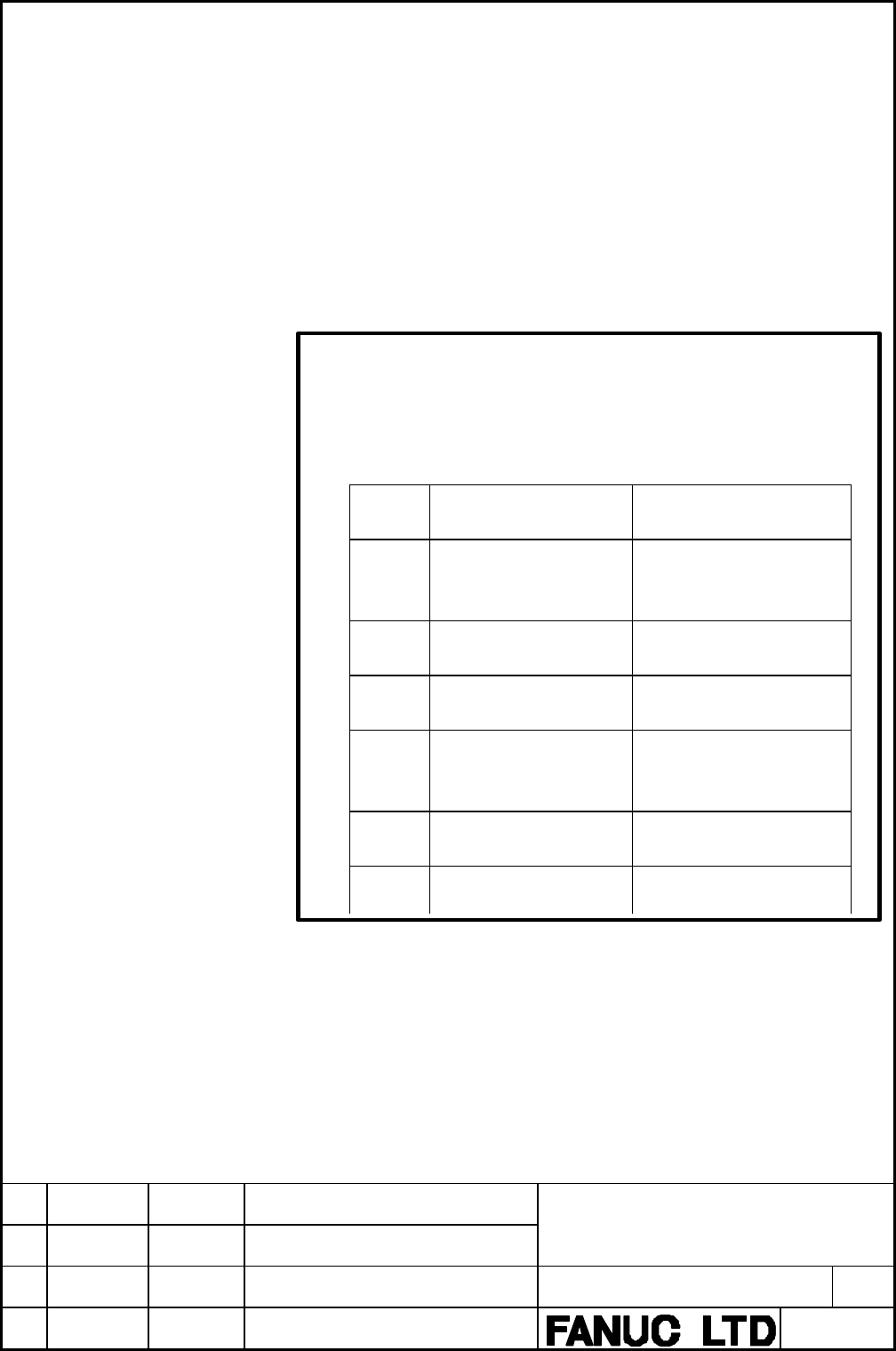
Mode Parameter setting
method
Operation
T-MOD MDI input and input from
I/O device on M-DSP
The setting does not
influence the movement of
the motor.
T-MOD MDI input and input from
I/O device on T-DSP
Normal completion
T-MOD Setting to path 1 with
CNC Window
Normal completion
M-MOD MDI input and input from
I/O device on M-DSP
The setting does not
influence the movement of
the motor.
M-MOD MDI input and input from
I/O device on T-DSP
Screen stop
M-MOD Setting to path 1 with
CNC Window
Screen stop
Contents Summary of Compound Machining Additional Manual
- Page 1FANUC Series 16i/18i -TA Compound Machining Function Contents 1 General ............................................................................................................................ 4 2 Specification......................................................................................
- Page 22.6 Alarms...................................................................................................................... 26 2.7 Manual operation ................................................................................................... 26 2.8 DI/DO signals...........................
- Page 38.1.2 System software ..................................................................................................... 122 8.1.3 Loading to F-ROM .................................................................................................. 122 8.2 Manual Parameter Setting..................
- Page 41 General Compound machining function enables a single CNC to control turning and milling for a milling-turning compound machine. The function provides two modes, the turning and milling modes, and changes them by certain programming commands(M codes). With changing modes, programming command system
- Page 52 Specification 2.1 Command mode This function provides two modes, turning and milling modes. With changing modes, both programming command systems, T-system and M-system, are available. See the following references for the details of programming commands. • T-system programming commands FANUC Serie
- Page 6• In this function, it has the same restrictions as FS16i/18i -TA and FS16i /18i -MA have. Ex.) In turning mode, X-axis and Z-axis should be assigned to the first and the 2nd axis, respectively in the following functions on 1 path system. - Canned cycles - Multiple repetitive cycles - Canned cycles
- Page 7Example of CNC screen • 7.2/8.4” type Current mode Current displayed data T-MOD : Turning T-DSP : For Turning M-MOD : Milling M-DSP: For Milling • 9.5/10.4” type TITLE 09 00.11.21 K.Yamamuro Revised to edition 09 FANUC Series 16i/18 i -TA Compound Machining Function 08 00.06.22 T.Watanabe Revised to
- Page 8Example of Programming Usually, two programs are required separately for turning and milling. This function enables you to include both turning and milling commands into a single program. Program for Milling Program for Turning O0001; O0001; G28 X0 Y0 Z0 ; G28 X0 Z0 ; G00 X100. Y100. T0101 ; G00 X10
- Page 92.2 On changing command modes 2.2.1 G code On changing modes between turning and milling, the information for the modes is handled as follows. Note Basically, the information is independent for each mode. Therefore, changing data for one mode does not affect the other’s. In other words, when the mod
- Page 10Though the following G codes are handled in the same manner, the system must be cancelled (switching to OFF) before changing command modes. Otherwise, the P/S alarm 5253 occurs. G10/G11 Programmable data input ON/OFF G12.1/G13.1 Polar coordinate interpolation ON/OFF G15/G16 Polar coordinate command
- Page 112.2.3 S code S codes for both command modes are also independent the same as G codes. On changing them, all spindles rotating by the current S code stop. • Spindles may keep rotating by the setting of SAS (PRM No.13002#7) = 1 instead of stopping. Example) O0004 ; N10 M80 ; ←Turning mode start N20 M0
- Page 122.2.5 D/H code D and H codes for milling mode are used for tool offset numbers. The offset number of Milling mode do not affect Turning mode. Example) O0006 ; N10 M81 ; ←Milling mode start N20 T0010 ; ←Tool number 10 N30 H10 D10 ; ←Tool length offset 10, Tool radius offset 10 N40 M80 ; ←Turning mode
- Page 132.2.7 Reference point If a reference point of an axis is established in one command mode, that of the same axis in the other mode will be established automatically. The established reference points are physically the same on the machine for both command modes. Note • Automatic coordinate system sett
- Page 142.2.8 Diameter/Radius programming In turning mode, diameter/radius programming can be selected but not in milling mode. If a diameter-specified command for an axis is executed in turning mode, the coordinate position of the same axis for milling mode is to be updated normally(by a radius amount). On
- Page 152.2.9 Input increments ( Metric input / Inch input ) As for input increments, metric input and inch input can be selected. Input increments are common in turning mode and milling mode. The change between input increments is done with the only setting parameter. Note • The change between input increm
- Page 162.2.10 Absolute/Incremental command Absolute/Incremental command is programmed differently between turning and milling modes. In milling mode, it is decided by modal G codes(G90/G91). In turning mode, it is decided by command addresses(X/U, Y/V, etc) when G code system A is selected. Example) O0007
- Page 172.2.11 Tool offset It is impossible to change command modes with any tool offset effective. Tool offset for one mode is not applicable for the other because it has completely different meaning or effect for each mode. Example) O0008 ; N10 M81 ; ←Milling mode start N20 G90 G17 G41 G00 X100. Y100. D01
- Page 182.2.12 Spindle control On changing command modes, all spindles rotating by the current S code stops. S code must be newly commanded after changing them. • Spindles may keep rotating by the setting of SAS(PRM No.13002#7) = 1 instead of stopping. Note • Spindles must be is spindle rotation mode on cha
- Page 192.2.13 Axis control It is impossible to change modes while any axis is moving. At the block of the command mode selection M code, CNC confirms all axes stop and then executes the next block. Note • The confirmation is not to be done for PMC axes Example) O0012 ; N1 M80 ; ← Turning mode start N2 G00
- Page 202.3 Switching CNC screens for turning and milling modes Some data such as parameters, offsets or so are independent for each command mode, turning and milling, because different values should be specified. 2.3.1 Display Switch Signal There are separate CNC screens for modes, which can be switched by
- Page 212.4 Controlled axes 2.4.1 Axes configuration All controlled axes are commonly used for both command modes. Namely, all motors are used to control axes common for both modes. Therefore, there are some parameters setting required and restrictions. Turning mode Milling mode ITP process/pulse dist. ITP
- Page 222.4.3 Assigning servo axis number Correspondence between each axis number and servo axis number is not always the same for both command modes. Therefore, each axis-type parameter for milling mode must be specified based on the corresponding axis number for turning mode. Example) Turning mode Milling
- Page 232.5.2 Parameters It is common parameters in both command mode shown as following. ISI(No.3701#1) not used as serial spindle. SS2(No.3701#4) using 2 nd serial spindle SS3(No.3701#5) using 3 rd serial spindle SS4(No.3704#1) using 4 th serial spindle No.3741 maximum speed in 1 st spindle(1st gear) No.3
- Page 24• without multi spindle function Set the parameter No.13010 to select the spindle with S command / rigid tap command. 13010 Spindle number to be commanded by S command / rigid tap command Set the spindle number will be controlled by S command / rigid tap command without multi spindle function. Setti
- Page 252.5.5 Thread cutting / Feed per revolution • with multi spindle function Which position coder of spindle will be selected by DI signal PC2SLC(G0028#8) in thread cutting / feed per revolution. Detail of specification is same as standard multi spindle function, and refer connection manual. • without m
- Page 262.6 Alarms All alarms will be displayed on the same alarm screen regardless of command modes. Alarms for turning mode and for milling are displayed on separated display. 2.7 Manual operation In a manual operation, Axis number is used in turning mode. Example) Axis structure in turning mode 1st - X,
- Page 272.8 DI/DO signals Signals ranged G000 – G255 and F000 – F255 are are used normally for both modes. G1000 – G1255 and F1000 – F1255 may be used specially for some part of milling. See the following references for the details of DI/DO signals. FANUC Series 16i/18i/21i/160i/180i/21I-MODEL A Connection
- Page 28Address 7 6 5 4 3 2 1 0 G000 ED7 ED6 ED5 ED4 ED3 ED2 ED1 ED0 G001 ED15 ED14 ED13 ED12 ED11 ED10 ED9 ED8 G002 ESTB EA6 EA5 EA4 EA3 EA2 EA1 EA0 G003 G004 MFIN3 MFIN2 FIN G005 BFIN AFL BFIN TFIN SFIN EFIN MFIN G006 SKIPP OVC *ABSM SRN G007 RLSOT EXLM *FLWP RLSOT3 ST STLK RVS G008 ERS RRW *SP *ESP *IT G
- Page 29Address 7 6 5 4 3 2 1 0 G021 G022 G023 ALNGH RGHTH G024 G025 G026 G027 CON *SSTP3 *SSTP2 *SSTP1 SWS3 SWS2 SWS1 G028 PC2SL SPSTP *SCPF *SUCPF GR2 GR1 G029 *SSTP SOR SAR GR31 GR21 G030 SOV7 SOV6 SOV5 SOV4 SOV3 SOV2 SOV1 SOV0 G031 PKESS2 PKESS1 G032 R08I R07I R06I R05I R04I R03I R02I R01I G033 SIND SSI
- Page 30Address 7 6 5 4 3 2 1 0 G042 HS3ID HS3IC HS3IB HS3IA G043 ZRN DNCI MD4 MD2 MD1 G044 MLK BDT1 G045 BDT9 BDT8 BDT7 BDT6 BDT5 BDT4 BDT3 BDT2 G046 DRN KEY4 KEY3 KEY2 KEY1 SBK G047 TL128 TL64 TL32 TL16 TL08 TL04 TL02 TL01 G048 TLRST TLRSTI TLSKP TL256 G049 *TLV7 *TLV6 *TLV5 *TLV4 *TLV3 *TLV2 *TLV1 *TLV0
- Page 31Address 7 6 5 4 3 2 1 0 G063 INFD NOZAGC SLSPB SLSPA G064 ESRSYC SLPCB SLPCA SLCSEQ RTNCY G065 G066 EKSET RTRCT ENBKY IGNVRY G067 G068 G069 G070 MRDYA ORCMA SFRA SRVA CTH1A CTH2A TLMHA TLMLA G071 RCHA RSLA INTGA SOCNA MCFNA SPSLA *ESPA ARSTA G072 RCHHGA MFNHGA INCMDA OVRIDA DEFMDA NRROA ROTAA INDXA
- Page 32Address 7 6 5 4 3 2 1 0 G084 G085 G086 G087 G088 G089 G090 G091 SRLNI3 SRLNI2 SRLNI1 SRLNI0 G092 BGEN BGIALM BGION IOLS IOLACK G093 G094 G095 G096 HROV *HROV6 *HROV5 *HROV4 *HROV3 *HROV2 *HROV1 *HROV0 G097 G098 EKC7 EKC6 EKC5 EKC4 EKC3 EKC2 EKC1 EKC0 G099 G100 +JV8 +JV7 +JV6 +JV5 +JV4 +JV3 +JV2 +JV1
- Page 33Address 7 6 5 4 3 2 1 0 G105 G106 MI8 MI7 MI6 MI5 MI4 MI3 MI2 MI1 G107 G108 MLK8 MLK7 MLK6 MLK5 MLK4 MLK3 MLK2 MLK1 G109 G110 +LM8 +LM7 +LM6 +LM5 +LM4 +LM3 +LM2 +LM1 G111 G112 -LM8 -LM7 -LM6 -LM5 -LM4 -LM3 -LM2 -LM1 G113 G114 *+L8 *+L7 *+L6 *+L5 *+L4 *+L3 *+L2 *+L1 G115 G116 *-L8 *-L7 *-L6 *-L5 *-L4
- Page 34Address 7 6 5 4 3 2 1 0 G125 G126 SVF8 SVF7 SVF6 SVF5 SVF4 SVF3 SVF2 SVF1 G127 G128 MIX8 MIX7 MIX6 MIX5 MIX4 MIX3 MIX2 MIX1 G129 G130 *IT8 *IT7 *IT6 *IT5 *IT4 *IT3 *IT2 *IT1 G131 G132 +MIT4 +MIT3 +MIT2 +MIT1 G133 G134 -MIT4 -MIT3 -MIT2 -MIT1 G135 G136 EAX8 EAX7 EAX6 EAX5 EAX4 EAX3 EAX2 EAX1 G137 G13
- Page 35Address 7 6 5 4 3 2 1 0 G146 EID7A EID6A EID5A EID4A EID3A EID2A EID1A EID0A G147 EID15A EID14A EID13A EID12A EID11A EID10A EID9A EID8A G148 EID23A EID22A EID21A EID20A EID19A EID18A EID17A EID16A G149 EID31A EID30A EID29A EID28A EID27A EID26A EID25A EID24A G150 DRNE RTE OVCE ROV2E ROV1E G151 *FV7E
- Page 36Address 7 6 5 4 3 2 1 0 G167 EMSBKC EC6C EC5C EC4C EC3C EC2C EC1C EC0C G168 EIF7C EIF6C EIF5C EIF4C EIF3C EIF2C EIF1C EIF0C G169 EIF15C EIF14C EIF13C EIF12C EIF11C EIF10C EIF9C EIF8C G170 EID7C EID6C EID5C EID4C EID3C EID2C EID1C EID0C G171 EID15C EID14C EID13C EID12C EID11C EID10C EID9C EID8C G172
- Page 37Address 7 6 5 4 3 2 1 0 G188 G189 G190 OVLS8 OVLS7 OVLS6 OVLS5 OVLS4 OVLS3 OVLS2 OVLS1 G191 G192 IGVRY8 IGVRY7 IGVRY6 IGVRY5 IGVRY4 IGVRY3 IGVRY2 IGVRY1 G193 PTM DTM G194 G195 G196 G197 G198 NPOS8 NPOS7 NPOS6 NPOS5 NPOS4 NPOS3 NPOS2 NPOS1 G199 G200 G201 G202 G203 G204 MRDYCA ORCMC SFRC SRVC CTH1C CT
- Page 38Address 7 6 5 4 3 2 1 0 G209 SHC11 SHC10 SHC09 SHC08 G210 G211 G212 G213 G214 G215 G216 G217 G218 G219 G220 G221 G222 G223 G224 G225 G226 G227 G228 G229 TITLE 09 00.11.21 K.Yamamuro Revised to edition 09 FANUC Series 16i/18 i -TA Compound Machining Function 08 00.06.22 T.Watanabe Revised to edition
- Page 39Address 7 6 5 4 3 2 1 0 G230 G231 G232 G233 G234 G235 G236 G237 G238 G239 G240 G241 G242 G243 G244 G245 G246 G247 G248 G249 G250 TITLE 09 00.11.21 K.Yamamuro Revised to edition 09 FANUC Series 16i/18 i -TA Compound Machining Function 08 00.06.22 T.Watanabe Revised to edition 08 T.Endo DRAW.NO. CUST.
- Page 40Address 7 6 5 4 3 2 1 0 G251 G252 G253 G254 G255 Address 7 6 5 4 3 2 1 0 G1000 ED7 ED6 ED5 ED4 ED3 ED2 ED1 ED0 G1001 ED15 ED14 ED13 ED12 ED11 ED10 ED9 ED8 G1002 ESTB EA6 EA5 EA4 EA3 EA2 EA1 EA0 G1039 GOOSM WOOSM OFN5 OFN4 OFN3 OFN2 OFN1 OFN0 G1040 WOSET PRC OFN6 TITLE 09 00.11.21 K.Yamamuro Revised
- Page 412.8.2 DO signals DO signals of Compound Machining Function are had in common in turning mode and milling mode. DO signals for milling mode is output to F000 and after only in milling mode. The half-tone dot meshing ( )has been described on the non-effective signal in one side. Please input the DO si
- Page 42Address 7 6 5 4 3 2 1 0 F000 OP SA STL SPL RWD F001 MA TAP ENB DEN BAL RST AL F002 MDRN CUT SRNMV THRD CSS RPDO INCH F003 MTCHIN MEDT MMEM MRMT MMDI MJ MH MINC F004 MREF MAFL MSBK MABSM MMLK MBDT F005 MBDT9 MBDT8 MBDT7 MBDT6 MBDT5 MBDT4 MBDT3 MBDT2 F006 F007 BF BF TF SF EFD MF F008 MF3 MF2 EF F009 D
- Page 43Address 7 6 5 4 3 2 1 0 F021 F022 S07 S06 S05 S04 S03 S02 S01 S00 F023 S15 S14 S13 S12 S11 S10 S09 S08 F024 S23 S22 S21 S20 S19 S18 S17 S16 F025 S31 S30 S29 S28 S27 S26 S25 S24 F026 T07 T06 T05 T04 T03 T02 T01 T00 F027 T15 T14 T13 T12 T11 T10 T09 T08 F028 T23 T22 T21 T20 T19 T18 T17 T16 F029 T31 T30
- Page 44Address 7 6 5 4 3 2 1 0 F042 F043 F044 SYCAL FSPPH FSPSY FSCSL F045 ORARA TLMA LDT2A LDT1A SARA SDTA SSTA ALMA F046 MORA2A MORA1A PORA2A SLVSA RCFNA RCHPA CFINA CHPA F047 INCSTA PC1DEA F048 F049 ORARB TLMB LDT2B LDT1B SARB SDTB SSTB ALMB F050 MORA2B MORA1B PORA2B SLVSB RCFNB RCHPB CFINB CHPB F051 IN
- Page 45Address 7 6 5 4 3 2 1 0 F063 PSYN WATO RCYO PSAR PSE2 PSE1 F064 TIALM TICHK TLCH1 TLNW TLCH F065 SYNMOD RTRCTF RGSPM RGSPP F066 PECK2 RTNMVS G08MD F067 F068 F069 F070 PSW08 PSW07 PSW06 PSW05 PSW04 PSW03 PSW02 PSW01 F071 PSW10 PSW09 F072 OUT7 OUT6 OUT5 OUT4 OUT3 OUT2 OUT1 OUT0 F073 ZRNO MD4O MD2O MD1
- Page 46Address 7 6 5 4 3 2 1 0 F084 F085 F086 F087 F088 F089 F090 ABTSP2 ABTSP1 ABTQSV F091 F092 TRSPS TRACT F093 F094 ZP8 ZP7 ZP6 ZP5 ZP4 ZP3 ZP2 ZP1 F095 F096 ZP28 ZP27 ZP26 ZP25 ZP24 ZP23 ZP22 ZP21 F097 F098 XP38 ZP37 ZP36 ZP35 ZP34 ZP33 ZP32 ZP31 F099 F100 ZP48 ZP47 ZP46 ZP45 ZP44 ZP43 ZP42 ZP41 F101 F
- Page 47Address 7 6 5 4 3 2 1 0 F105 F106 MVD8 MVD7 MVD6 MVD5 MVD4 MVD3 MVD2 MVD1 F107 F108 MMI8 MMI7 MMI6 MMI5 MMI4 MMI3 MMI2 MMI1 F109 F110 MDTCH8 MDTCH7 MDTCH6 MDTCH5 MDTCH4 MDTCH3 MDTCH2 MDTCH1 F111 F112 EADEN8 EADEN7 EADEN6 EADEN5 EADEN4 EADEN3 EADEN2 EADEN1 F113 F114 TRQL8 TRQL7 TRQL6 TRQL5 TRQL4 TRQL
- Page 48Address 7 6 5 4 3 2 1 0 F125 F126 F127 F128 F129 *EAXSL EOV0 F130 EBSYA EOTNA EOTPA EGENA EDENA EIALA ECKZA EINPA F131 EABUFA EMFA F132 EM28A EM24A EM22A EM21A EM18A EM14A EM12A EM11A F133 EBSYB EOTNB EOTPB EGENB EDENB EIALB ECKZB EINPB F134 EABUFB EMFB F135 EM28B EM24B EM22B EM21B EM18B EM14B EM12B
- Page 49Address 7 6 5 4 3 2 1 0 F146 F147 F148 EM48C EM44C EM42C EM41C EM38C EM34C EM32C EM31C F149 F150 F151 EM48D EM44D EM42D EM41D EM38D EM34D EM32D EM31D F152 F153 F154 F155 F156 F157 F158 F159 F160 F161 F162 F163 F164 F165 F166 TITLE 09 00.11.21 K.Yamamuro Revised to edition 09 FANUC Series 16i/18 i -T
- Page 50Address 7 6 5 4 3 2 1 0 F167 F168 F169 F170 F171 F172 F173 F174 F175 F176 F177 F178 F179 F180 F181 F182 F183 F184 F185 F186 F187 TITLE 09 00.11.21 K.Yamamuro Revised to edition 09 FANUC Series 16i/18 i -TA Compound Machining Function 08 00.06.22 T.Watanabe Revised to edition 08 T.Endo DRAW.NO. CUST.
- Page 51Address 7 6 5 4 3 2 1 0 F188 F189 F190 F191 F192 F193 PRS F194 F195 F196 F197 F198 F199 F200 F201 F202 F203 F204 F205 F206 F207 F208 TITLE 09 00.11.21 K.Yamamuro Revised to edition 09 FANUC Series 16i/18 i -TA Compound Machining Function 08 00.06.22 T.Watanabe Revised to edition 08 T.Endo DRAW.NO. C
- Page 52Address 7 6 5 4 3 2 1 0 F209 F210 F211 F212 F213 F214 F215 F216 F217 F218 F219 F220 F221 F222 F223 F224 F225 F226 F227 F228 F229 TITLE 09 00.11.21 K.Yamamuro Revised to edition 09 FANUC Series 16i/18 i -TA Compound Machining Function 08 00.06.22 T.Watanabe Revised to edition 08 T.Endo DRAW.NO. CUST.
- Page 53Address 7 6 5 4 3 2 1 0 F230 F231 F232 F233 F234 F235 F236 F237 F238 F239 F240 F241 F242 F243 F244 F245 F246 F247 F248 F249 F250 TITLE 09 00.11.21 K.Yamamuro Revised to edition 09 FANUC Series 16i/18 i -TA Compound Machining Function 08 00.06.22 T.Watanabe Revised to edition 08 T.Endo DRAW.NO. CUST.
- Page 54Address 7 6 5 4 3 2 1 0 F251 F252 F253 F254 F255 Address 7 6 5 4 3 2 1 0 F1060 ESEND EREND F1072 OUT7 OUT6 OUT5 OUT4 OUT3 OUT2 OUT1 OUT0 F1073 ZRNO MD4O MD2O MD1O F1074 F1075 SPO KEYO DRNO MLKO SBKO BDTO F1076 ROV2O ROV1O RTAP MP2O MP1O F1077 RTO HS1DO HS1CO HS1BO HS1AO F1078 *FV7O *FV6O *FV5O *FV4O
- Page 552.9 Parameters Basically, the parameters are set in turning mode and in milling mode each. However, there are common parameters in both modes such as servo parameters. The common parameters are displayed only on turning display screen. They are set on turning side. The common parameters are in the f
- Page 563 Differences from standard T/M-system controls Some turning and milling features of this function are different from the standard T/M-system controls’. This chapter explains the details. 3.1 Tool selection, tool offset When T code is commanded, the code signals and strobe signal are to be output fo
- Page 573.1.2 Tool offset The parameter setting of TO2(No.xxxx#x) = 1 allows you to activate/deactivate tool offset not by T code only but G code. The following format combined with T code and G code is used to start tool offset. Tool offset ON T**: Tool offset number Tool offset number may be specified by
- Page 58• Tool offset number In standard T system, both tool number and tool offset number are specified command by D code by T code. In compound machining function, tool offset number is specified by D code in case of parameter 13001#2(DOF)=1. In this case, T code is only used for specifying tool number an
- Page 593.2 The compensation according to the angle of B-axis If B axis is rotated when the measurement reference position of the offset is different from B axis rotation center position, the measurement reference position slides according to the angle of B axis. At that time, CNC compensates the tool offse
- Page 603.2.2 Tool Offset Value Conversion according to the Angle of B-axis (T mode) • Features and outlines The offset values are never to memorize the one at the position of B=0°. The ones of the current angle is memorized. That is, if the amount of the offset displayed on the screen and the direction of
- Page 61• Offset value at B=-90° when based on B=0° OFSx + Px - Pz (-OFSz) + (-Pz) + (-Px) • Offset value at B=90° (-OFSx) + (-Px) – Pz when based on B=0° OFSz + Pz - Px TITLE 09 00.11.21 K.Yamamuro Revised to edition 09 FANUC Series 16i/18 i -TA Compound Machining Function 08 00.06.22 T.Watanabe Revised to
- Page 62The angle (-90°/0°/90°) of B axis is notified to CNC by not the coordinates value but R signal. And, the address of the R signal is specified by the parameter. Please do not input the signal, except for the above-mentioned angle. For that case, the offset conversion processing is not done, and P/S a
- Page 633.2.3 Example of Tool Geometry Offset Measurement (1) Parameter Setting As for parameter No.5015∼5018 for the direct input of offset value measured B, the distance between the touch sensor and the base of the tool when the tool turns downward (The angle of B-axis is 0 degree.) is set. B axis rotate
- Page 64X-component of the external workpiece zero point offset is the distance between the center of the spindle and the base of the tool when the tool turns downward. EXOFSx : External workpiece zero point offset Spindle TITLE 09 00.11.21 K.Yamamuro Revised to edition 09 FANUC Series 16i/18 i -TA Compound
- Page 65Example) Rotation center shift amount Z Prm. 13042 = 10 (0.020 : diameter setting) (0.010 : radius setting) Rotation center shift amount X Prm. 13041 = 500000 (500.000 : diameter setting) (250.000 : radius setting) -190.000 -626.000 -258.000 -660.000 External workpiece zero point offset EXT X = -700
- Page 66(2) Measurement CNC recognizes the angle (-90°/0°/90°) of B-axis according to not the coordinates value but R signal. And, the address of the R signal is specified by the parameter. The signal must not be input, except for the above- mentioned angle. The offset conversion is not done when the signal
- Page 671. B axis is rotated to –90 degrees. 2. The bit 0 of R address of this signal specified with the parameter 13040 is set to “1”. 3. Select manual handle mode or manual continuous feed mode and set the tool compensation value write mode select signal GOQSM to “1”. 4. Select a tool to be measured and m
- Page 68The distance between the B-axis rotation center point and the base of the tool is set in the tool geometry offset value as follows. OFSx = -580.020 = -500.000 - 0.020 - 80.000 OFSz = 379.990 = -0.010 + 250.000 + 130.000 130.000 80.000 (Diameter) 250.000 0.010 0.020(Diameter) -580.020 500.000 (Diamet
- Page 69The relation between the direction of the imaginary tool and the inside and outside is considered only by six patterns of the followings. The direction of the imaginary tool nose 2 3 4 Inside or outside of the tool inside inside inside The direction of the imaginary tool nose 3 4 1 Inside or outside
- Page 70(3) Conversion into downward (B0°) 1. B axis is rotated to 0 degrees. 2. The bit 1 of R address of this signal specified with the parameter 13040 is set to “1”. 3. T-code is commanded in MDI or MEM mode. 4. When T-code is executed, the tool geometry offset value is converted into the value for downw
- Page 71(4) Conversion into downward (B90°) 1. B axis is rotated to 90 degrees. 2. The bit 2 of R address of this signal specified with the parameter 13040 is set to “1”. The bit 0 and 1 of it is set to “0”. 3. T-code is commanded in MDI or MEM mode. 4. When T-code is executed, the tool geometry offset valu
- Page 72(5) Conversion of Wear Offset As for the conversion of the wear offset, the distance between the B-axis rotation center point and the base of the tool is not considered. The diameter/radius and the negative/positive sign are only considered. X Z R T ←W01 1.000 2.000 0.800 2 (B-90°) X Z R T ↓W01 4.00
- Page 733.2.4 Coordinate Value Compensation in 3-D Coordinate conversion according to the Angle of B-axis (M mode) • Example of machining Pz (B0°) the end face of workpiece as B=-90° The direction of spindle in doing three- Px B axis rotate dimensional coordinates conversion for center position the program
- Page 74In this function, the gap generated according to rotating of B-axis is compensated by not making the coordinate (*1) but making the coordinate (*2). Workpiece origin Program origin (*1) +X +Z B axis rotating center position +X” +Z” Program origin after three dimensional coordinate conversion with th
- Page 75• Example of machining the end face of workpiece as B=0° Pz (B0°) The direction of spindle in the actual machining and the direction of spindle when the Px B axis rotate former three dimensional center position coordinate conversion is only +Z’ executed (B=0) EXOFSx OFS (B0°) +X’ EXOFSz Program orig
- Page 763.2.5 Parameters 13000 BA3D BGWO Bit Number 7 6 5 4 3 2 1 0 BGWO Tool Offset Value Conversion according to the Angle of B-axis (T mode) is : 0 : Not available. 1 : available BA3D Coordinate Value Compensation in 3-D Coordinate conversion according to the Angle of B-axis (M mode ) is : 0 : Not availa
- Page 773.2.7 Signals Address 7 6 5 4 3 2 1 0 R**** TRV B90 B00 B-90 B90, B00, B-90 The angle of B-axis inputted from PMC TRV The direction of the turning tool is outside. Note • The address of this signal is specified with the parameter 13040. TITLE 09 00.11.21 K.Yamamuro Revised to edition 09 FANUC Series
- Page 783.3 Tool life management The compound machining function has two command modes which are a turning mode and a milling mode. Tools for turning and milling are housed in a common magazine. Therefore, both kinds of tools have to be managed in the same tool life management function. The tool management
- Page 79Tool life management data Machining program Machine and CNC operations Tool group number 1 Machine CNC . . Places a Automatically . . selected tool selects, from tool Tool group number m Tool Command for in the wait group m, a tool selection selecting tool state whose life has not . group m expired.
- Page 80• Tool number Turning mode: In case of parameter 13001#2(DOF)=0, specify a upper two-digit number in T code In case of parameter 13001#2(DOF)=1, the entire T code indicates tool number. Milling mode: The entire T code indicates tool number. • Tool offset number Turning mode: In case of parameter 130
- Page 813.3.3 Register, Change and Delete of Tool Life Management Data In program, tool life management data can be registered in the CNC unit, and registered tool life management data can be changed or deleted. • Register with deleting After all registered tool life management data is deleted, programmed t
- Page 82• Register of tool life count type Count types (time or frequency) can be registered for individual groups. Format Meaning of common G10L3 Q__ : Life count type (1:Frequency, 2:Time) ( or G10L3P1) ; P__ L__ Q__ ; T__ H__ D__ ; P__ L__ Q__ ; T__ H__ D__ ; P__ L__ Q__ ; T__ H__ D__ ; G11 ; M02(M30) ;
- Page 833.3.4 Tool life management command in a machining program Tool group is specified by T code in a machining program. The way specifying the tool group and the tool offset number are deference between in turning mode and in milling mode. • Tool life management In the tool life management, the tool cha
- Page 84Example) Parameter No. 6810 = 100 (Tool life management cancel number) Oxxxx; T010199; A tool whose life has not expired is selected from group 1. M06; The selected tool (in group1) is used for machining. G43; The tool offset of the current used tool (in group1) is effective. G49; The tool offset is
- Page 85H99; Selects the H code of tool life management data for the tool currently being used. H00; Cancels tool length offset. D99; Selects the D code of tool life management data for the tool currently being used. D00; Cancels cutter compensation. Note H99 or D99 must be specified after the M06 command.
- Page 863.3.5 Tool life The life of tool is specified by a usage frequency (count) or usage time (in minutes.) • Usage count The usage count is incremented by 1 for each tool used in a program. In other words, the usage count is incremented by 1 only when the first tool group number and tool change command
- Page 873.3.6 Displaying and Setting Tool Life Management Data Tool life data can be displayed to inform the operator of the current state of tool life management. Groups which require tool changes are also displayed. The tool life counter for each group can be preset to an arbitrary value. Tool data (execu
- Page 887. To reset the tool data, move the cursor on the group to reset, then press the [(OPRT)], [CLEAR], and [EXEC] soft keys in this order. ALL execution data for the group indicated by the cursor is cleared together with the marks (@, #, or *). • The first line is the title line. • In the second line,
- Page 89Note Tool life management data is displayed only on milling data screen. It cannot be displayed only on turning data screen. TITLE 09 00.11.21 K.Yamamuro Revised to edition 09 FANUC Series 16i/18 i -TA Compound Machining Function 08 00.06.22 T.Watanabe Revised to edition 08 T.Endo DRAW.NO. CUST. 01
- Page 903.4 DNC Operation In the compound machining function, it is possible to perform DNC Operation as follows. 3.4.1 I/O Channel This function can be used under the following channels. 0∼2: RS232-C 3: Remote Buffer 5: Data Server 3.4.2 Note of DNC Operation • During DNC operation, it is possible to comma
- Page 913.5 Restrictions In compound machining function, some functions have restrictions even if they are available in the standard T/M system. Their contents are described. 3.5.1 Restrictions of Compound Machining Function • Inch Metric Conversion It is not available to do conversion by program command (G
- Page 924 Additional parameters The following parameters have been added for the function. 4.1 Bit type parameters 13000 BA3D BGWO TMD0 Bit Number 7 6 5 4 3 2 1 0 TMD0 When M code for changing turning/milling modes is commanded from CNC program, code signals and strobe signal are: 0 : To be output. 1 : Not
- Page 9313002 SAS MDD GW2 EPM TMD Bit Number 7 6 5 4 3 2 1 0 TMD Turning/milling data confirmation display is: 0 : Unavailable. 1 : Available. EPM Change between turning mode and milling mode is performed by 0 : Only mode selection M code. 1 : Mode selection M code and DI signal G193#1 (PTM). GW2 When tool
- Page 94Note • In condition of parameter SAS=1, the rotation speed of spindle that is selected by DI signal SWS1-SWS4(G027#0-#2, G026#3) =1 with multi spindle function will be used last commanded S code. Please be careful to make PMC ladder program. • In condition of parameter SAS=1, spindle rotation will k
- Page 95Note • It will used to select the spindle by DI signal SWS1-SWS4(G0027#0- #2,G0026#3) with multi spindle function. • In using this parameter, the parameter and signal of 2 nd to 4 th spindles are used for multi spindle function.(2nd to 4th spindle has 1st and 2nd gear) . parameter for maximum speed
- Page 964.3 Word type parameters The address of R signal for the tool offset value conversion according to the angle 13040 of B-axis [Data type] Word [Data range] 0 to 65536 As for Tool Offset Value Conversion according to the Angle of B-axis (T mode), the address of R signal in order to give the angle of B
- Page 974.4 Double word type parameters 13020 Axis number in turning mode corresponding to each axis in milling mode 13021 Axis number in turning mode corresponding to each axis in milling mode [Data type] Double word [Data range] 3 to 99999999 M code by which the turning mode and the milling mode are switc
- Page 985 Additional signals The following signals have been added for the function. 5.1 DI signal Address 7 6 5 4 3 2 1 0 G193 PTM DTM DTM The following screen is displayed by this signal. 0: The screen showing turning data is displayed. 1: The screen showing milling data is displayed. PTM The change betwe
- Page 996 Additional alarms The following signals have been added for the function. 5253 T/M MODE CAN NOT BE SWITCHED Turning/milling modes cannot be changed in spite of commanding M code for it. The followings are possible causes. - The M code is not commanded alone. - Modal G codes are not cancelled at th
- Page 1007 Specifications Ο : Standard l : Standard option I : Option S : Function include in another option Note) Some combinations of these options are restricted. Some functions have restrictions even if they are available in the standard T/M system. Please refer to “3.3 Restrictions” in details. Controll
- Page 101Turning Milling Item Specifications mode mode Axis recomposition - Simple synchronous control - Twin table control - Angular axis control - Arbitrary angular axis control I B-axis control - Tandem control - Torque control PMC axis control is required. S Control axis detach - Chopping - Function for
- Page 102Turning Milling Item Specifications mode mode Stored stroke check 2 - I Stored stroke check 3 - I Stored stroke check 2,3 I - Stroke limit check before move I Chuck and tail stock barrier I - Mirror image each axis Ο Follow-up Ο Servo off / mechanical handle feed Ο Chamfering on/off Ο - Backlash com
- Page 103Operation Turning Milling Item Specifications mode mode Automatic operation (memory) Ο DNC operation Reader/puncher interface is required. I MDI operation Ο Schedule function Ο Program number search Ο Sequence number search Ο Sequence number comparison I and stop Program restart I Tool retract and r
- Page 104Interpolation functions Turning Milling Item Specifications mode mode Positioning Linear interpolation type positioning Ο is possible. Single direction positioning - I Exact stop mode - Ο Exact stop - Ο Linear interpolation Ο Circular interpolation Multi-quadrant is possible. Ο Exponential interpola
- Page 105Turning Milling Item Specifications mode mode Multi-step skip I Torque limit skip Ο - Reference position return Ο Reference position return check Ο 2nd reference position return Ο 3rd/4th reference position return I Floating reference position return I Normal direction control - I Continuous dressin
- Page 106Feed functions Turning Milling Item Specifications mode mode Rapid traverse rate Max. 240m/min (1µm) Ο Max. 100m/min (0.1µm) S Rapid traverse override F0, 25, 50, 100% Ο Feed per minute Ο Feed per revolution Ο Feed per revolution Ο - without position coder Tangential speed constant control Ο Cutting
- Page 107Program input Turning Milling Item Specifications mode mode Tape code EIA RS244/ISO840 automatic recognition Ο Label skip Ο Parity check Horizontal and vertical parity Ο Control in/out Ο Optional block skip 1 Ο 9 I Max. programmable dimension ±8-digit Ο Program number O4-digit Ο O8-digit I Sequence
- Page 108Turning Milling Item Specifications mode mode Manual absolute on and off Ο Direct drawing dimension I - programming G code system A Ο - B/C I - Chamfering/corner R I - Optional chamfering/corner R - I Programmable data input I Sub program call 8 folds nested Ο Custom macro B I Addition of custom mac
- Page 109Turning Milling Item Specifications mode mode Figure copy - - Retrace - Tape format for FS 15 I Conversational programming - with graphic function Macro executor I C language executor - Conversational programming function for machining center Turning Milling Item Specifications mode mode Super CAP I
- Page 110Conversational programming function for lathe Turning Milling Item Specifications mode mode Super CAP II T - Super CAP T - NC format output - C-axis conversational programming - Y-axis conversational programming - P code macro variable 4000 - Back machining by sub-spindle - Chuck data expansion 60 -
- Page 111Turning Milling Item Specifications mode mode Symbolic CAP T basic module - Symbolic CAP T C/Y axis module - Auxiliary/spindle speed function Turning Milling Item Specifications mode mode Auxiliary function M8-digit Ο 2nd auxiliary function B8-digit I Auxiliary function lock Ο High-speed M/S/T/B int
- Page 112Turning Milling Item Specifications mode mode 1st spindle orientation I 1st spindle output switching I function 2nd spindle orientation I 2nd spindle output switching I function 3rd/4th spindle orientation I 3rd/4th spindle output switching I function Spindle synchronous control I Spindle simple syn
- Page 113Tool function/tool compensation Turning Milling Item Specifications mode mode Tool function T6+2 digit Ο - T8 digit - Ο Tool offset pairs ±6-digit 32 turning mode Ο 64 milling mode ±6-digit 64 turning mode I 99 milling mode ±6-digit 99 turning mode I 200 milling mode ±6-digit 99 turning mode I 400 m
- Page 114Turning Milling Item Specifications mode mode Tool length compensation - Ο Tool offset Ο I Y-axis offset I - Cutter compensation B - I Tool nose radius compensation (turning mode) I cutter compensation C (milling mode) 3-dimensional cutter compensation - I Tool life management I Additional of tool p
- Page 115Editing operation Turning Milling Item Specifications mode mode Part program storage length 40m Ο 80m I 160m I 320m I 640m I 1280m I 2560m - 5120m - Number of registrable programs 63 Ο 125 I 200 I 400 I 1000 I Part program editing Ο Program protect Ο Background editing I Extended part program editin
- Page 116Setting and display Turning Milling Item Specifications mode mode Status display Ο Clock function Ο Current position display Ο Program display Program name 31 characters Ο Parameter setting and display Ο Self-diagnosis function Ο Alarm display Ο Alarm history display Ο Operator message history displ
- Page 117Turning Milling Item Specifications mode mode Display of hardware and software Ο configuration Periodic maintenance screen Ο Maintenance information screen Ο Software operator’s panel I Software operator’s panel general I purpose switch Software operator’s panel general Software operator’s panel gen
- Page 118Data input/output Turning Milling Item Specifications mode mode Reader/puncher interface Reader/puncher (Ch.1) interface I Reader/puncher (Ch.2) interface I Input/output simultaneous operation - Remote buffer I High-speed remote buffer A - High-speed remote buffer B - Data server I External I/O devi
- Page 119Others Turning Milling Item Specifications mode mode Status output signal NC ready, servo ready, automatic operation, automatic operation start lamp, feed hold, reset, NC alarm, distribution Ο end, rewinding, inch input, cutting, inposition, thread cutting, tapping, etc. Control unit incorporated ty
- Page 120Turning Milling Item Specifications mode mode PMC-SB5 Basic instruction: 0.085 µsec/step - Max. step number ladder: 24,000 PMC-SB6 Basic instruction: 0.085 µsec/step Max. step number ladder: 32,000 l PMC system Step sequence function PMC-Si Basic instruction: 0.085 µsec/step Max. step number ladder:
- Page 121Turning Milling Item Specifications mode mode Connectable spindle motor FANUC AC spindle motor, etc. Ο Connectable spindle amp. FANUC AC servo amp. α series I Open CNC - TITLE 09 00.11.21 K.Yamamuro Revised to edition 09 FANUC Series 16i/18 i -TA Compound Machining Function 08 00.06.22 T.Watanabe Re
- Page 1228 Starting Procedure of Compound Machining Function 8.1 Outline The compound machining function is realized with the system software only for the compound machining function. Therefore, the loading to F-ROM, the parameter setting procedure, and so on are different from the standard system software.
- Page 1238.2 Manual Parameter Setting 8.2.1 Optional Parameter l Procedure 1. You set the parameter no.13002#0(TMD) or the parameter no.13002#3 (MDD) to 1 2. You confirm the display “T-DSP” in the lower right of the screen. After that, you set the parameter no. 9900 to 9999 according to the data sheet. 3. Yo
- Page 1248.2.2 Parameter to relate axes of the turning side to ones of the milling side (No.13030) You set the parameter no. 13030 to relate axes of the turning side to ones the milling side. l Procedure 1. You input DI signal G193#0(DTM) in order to display the screen of the milling side (M-DSP)display 2. Y
- Page 1258.2.3 Parameter of the Number of The Servo Axis for Each Axis (No.1023) You set the parameter no. 1023 to the servo axis number for each control axis in the turning side(T-DSP). Usually set to same number as the control axis number. The control axis number is the order number that is used for settin
- Page 1268.2.4 Parameter of the Rotation Axis (No.1006#0, 1008#0, 1260) You need to set the same value to parameter no. 1006#0(ROT) of each side manually. l Procedure 1. You set DI signal G193#0(DTM) to “0” in order to display the screen of the turning side (T-DSP) display. 2. You set the parameter no.1006#0
- Page 1278.2.5 Servo Parameter (No.2000∼2413, No.1820 etc.) You set the servo parameter automatically. l Procedure 1. You set DI signal G193#0(DTM) to “0” in order to display the screen of the turning side (T-DSP) display. 2. You change the operation mode to the turning mode(T-MOD). 3. You set the servo para
- Page 1288.2.6 Spindle Parameter(No.4000∼4799, No.3701etc.) You set the spindle parameter automatically. l Procedure 1. You set DI signal G193#0(DTM) to “0” in order to display the screen of the turning side (T-DSP) display. 2. You set the spindle parameter automatically. Please refer to the document for the
- Page 1298.3 Parameter Input from I/O Device The method of starting up CNC by using the parameter file backed up is explained 8.3.1 Input of Parameter for Turning Mode (The First Time) The parameter for the turning mode is input in order to set optional parameters and the parameter to relate axes of the turn
- Page 1308.3.3 Input of Parameter for Milling Mode (The Second Time) The parameter for the turning mode (T-MOD) is input again in order to set the parameter for the optional function such as the parameter no. 9000 for the macro executor. l Procedure 1. You input DI signal G193#0(DTM) in order to display the
- Page 1318.4 Axis Type of Common Parameter In the compound machining function, notes in case of setting the axis type of the common parameter for both the turning mode (T-MOD) and the machining mode (M-MOD) are described. The axis type of common parameters are managed, as they become the same value in the tu
- Page 132When the 2nd axis of the parameter no. 1420 for the milling mode (M-MOD) is set to “24000”, the 4 th axis of the parameter no. 1420 for the turning mode (T-MOD) is also automatically set to “24000”. T-MOD Value of the M-MOD Value of the parameter 1420 parameter 1420 X 10000 X 10000 Z 12000 Y 24000 C
- Page 133No. 2030 No. 2031 No. 2032 No. 2033 No. 2034 No. 2035 No. 2036 No. 2037 No. 2038 No. 2039 No. 2040 No. 2041 No. 2042 No. 2043 No. 2044 No. 2045 No. 2046 No. 2047 No. 2048 No. 2049 No. 2050 No. 2051 No. 2052 No. 2053 No. 2054 No. 2055 No. 2056 No. 2057 No. 2058 No. 2059 No. 2060 No. 2061 No. 2062 No.
- Page 134No. 2240 No. 2241 No. 2242 No. 2243 No. 2244 No. 2245 No. 2246 No. 2247 No. 2248 No. 2249 No. 2250 No. 2251 No. 2252 No. 2253 No. 2254 No. 2255 No. 2256 No. 2257 No. 2258 No. 2259 No. 2260 No. 2261 No. 2262 No. 2263 No. 2264 No. 2265 No. 2266 No. 2267 No. 2268 No. 2269 No. 3605 No. 3620 No. 3621 No.